Draw your firmware as a flowchart. Ship real Zephyr code.
Describe what your device does in the browser, one block at a time. AppBlocks generates the Zephyr project for you, including the threads, timers, and pin assignments.
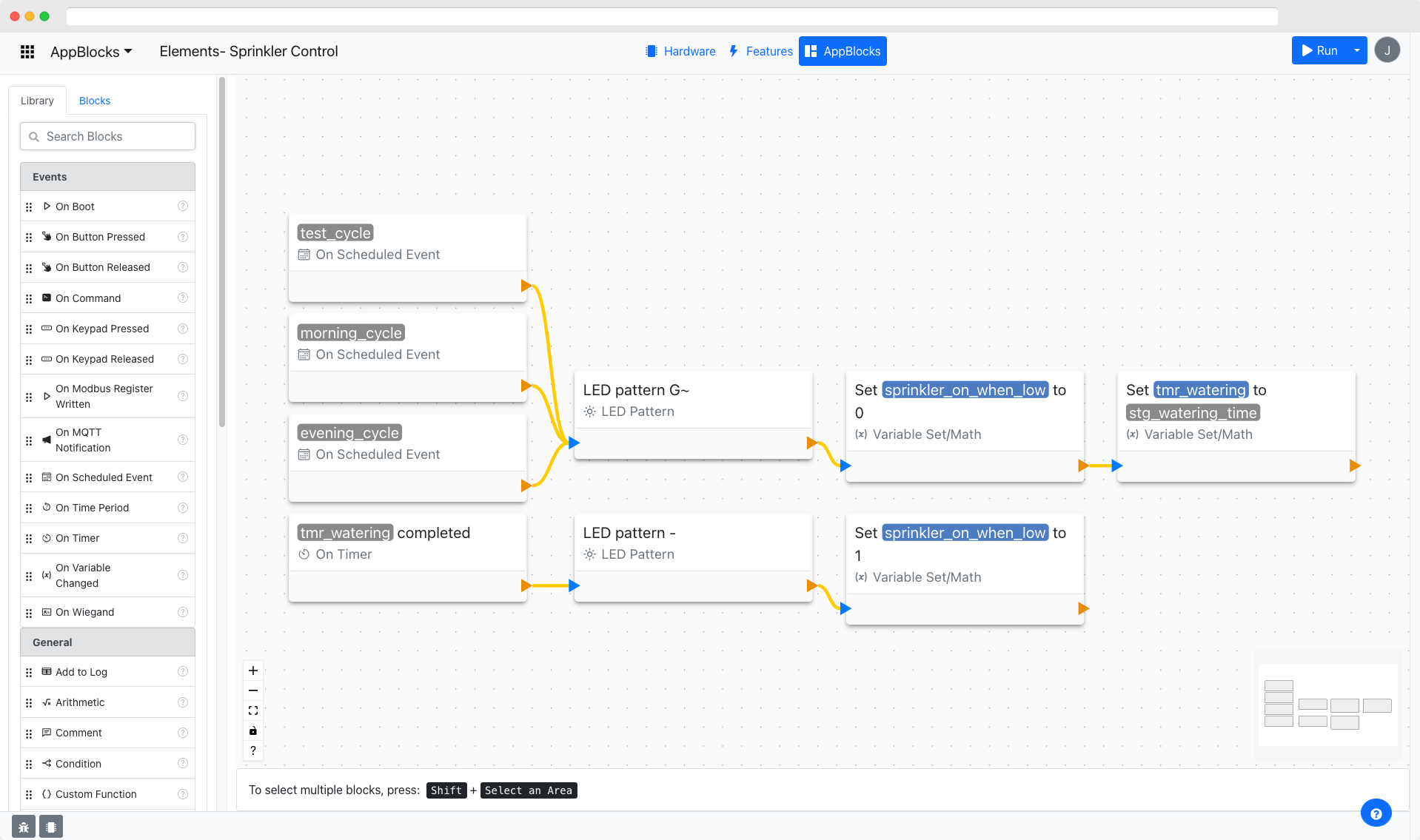
Firmware logic you can read at a glance.
Flows are assembled from verified blocks designed to work together, so every app is consistent and predictable.
Event-driven flows
Every chain starts from an event, such as boot, a timer, a button press, or an incoming Modbus or MQTT message. Blocks run left to right, then top to bottom.
About 100 ready-made blocks
Logic, math, timing and scheduling, I/O, strings, displays, sound, storage, serial, networking, cloud, and Modbus.
Variables wired to hardware
Every sensor and GPIO line gets a variable automatically. Write to the variable and the hardware follows.
Settings that persist
Settings live in non-volatile memory. Change them from the Web Console, the mobile app, or the cloud, without reflashing.
Data tables on the device
Keep lists such as access cards or schedules on the device, and query them with lookup, insert, update, and delete blocks.
Readable C you own
Inspect the generated code in the built-in viewer, and export the source whenever you want to keep building by hand.
From first block to field-ready firmware.
Logic as a flowchart, not a pile of callbacks
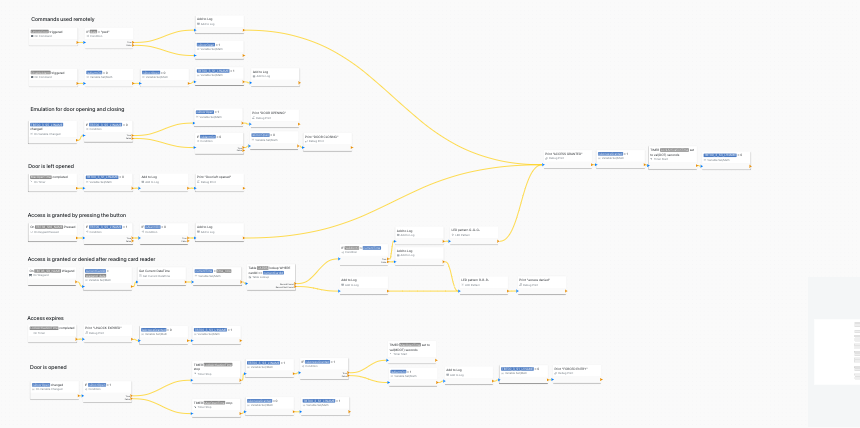
Drag an event onto the canvas, connect the blocks that should run, and branch on conditions. AppBlocks handles CMake, Kconfig, device trees, and RTOS primitives, so the flow is the whole program.
- Timers, a cron-like scheduler, and remote commands built in
- Custom Function blocks for the odd bit of hand-written code
- Projects import and export as JSON
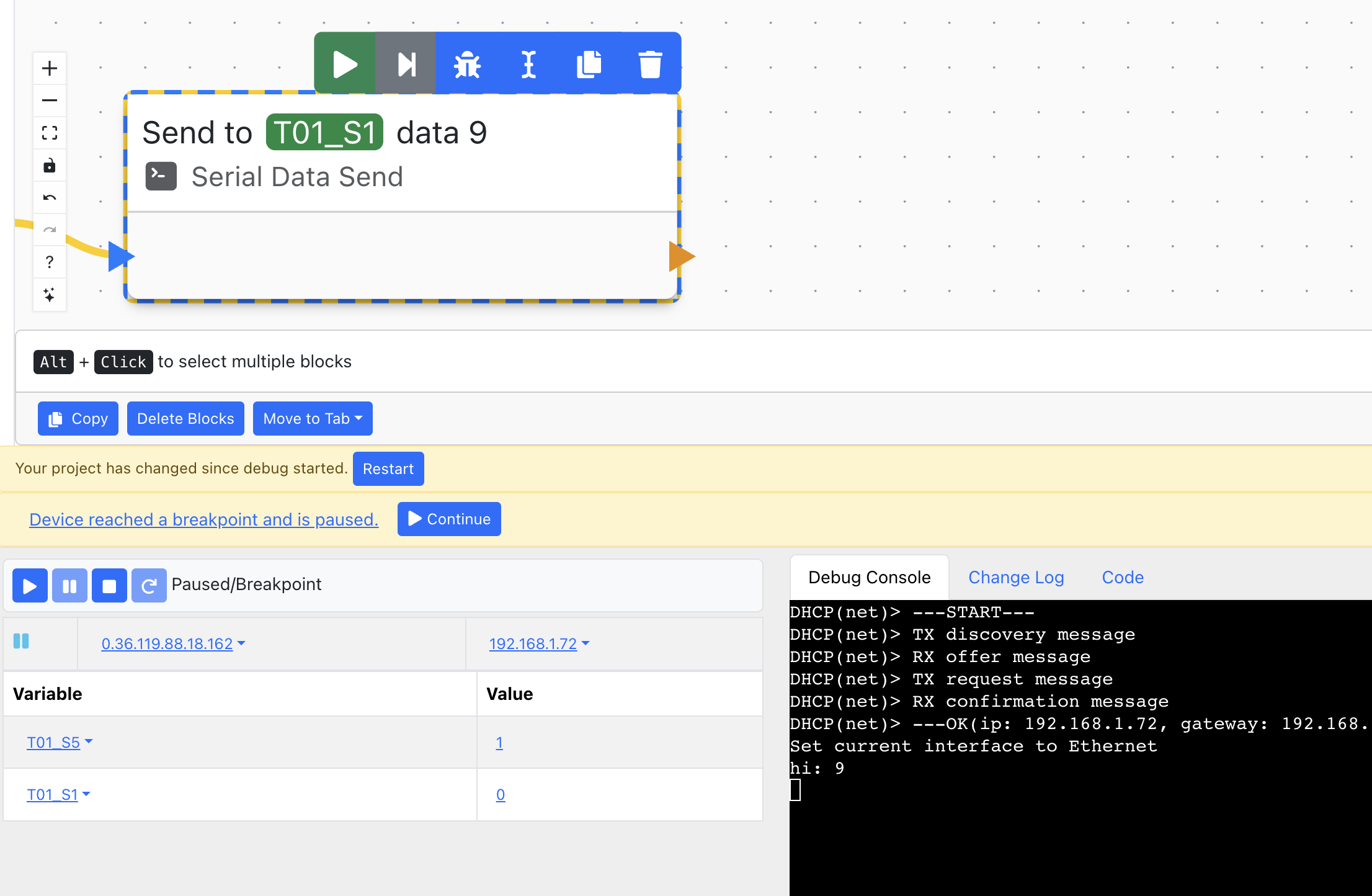
Debug on real hardware
Set breakpoints on blocks, step through a flow, and inspect every variable while the device is paused. The debug console and change log sit right under the canvas.
- Breakpoints, step, pause, and continue
- Live variable values at each breakpoint
- Debug output from the device, as it runs
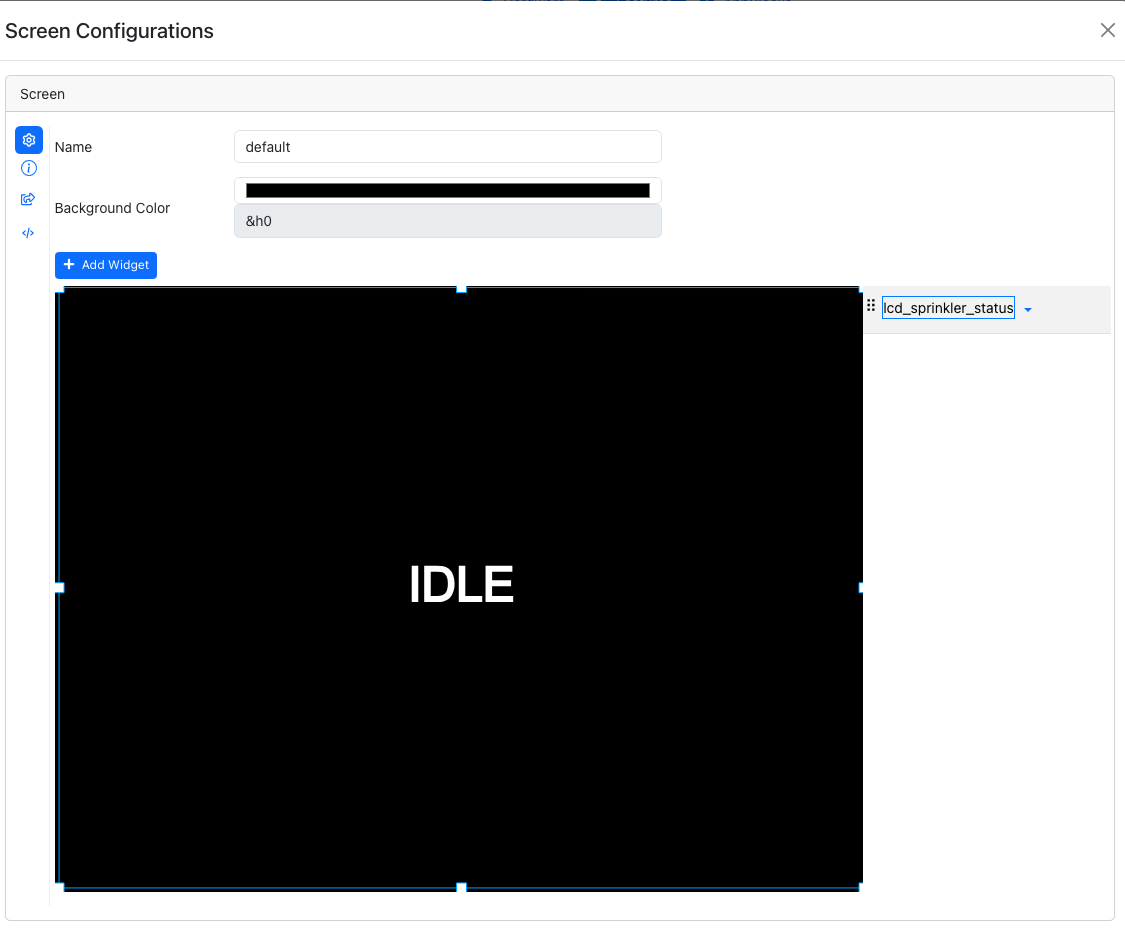
Build LCD screens without a graphics library
On devices with a display, lay out screens as canvases of text, image, and graph widgets, then switch between them from your flow. A generated settings menu lets installers configure the device from the screen.
- Text, image, and line-graph widgets
- Settings menu with dropdown, text, password, and IP controls
- Screenshots saved to the device’s file system
See the code behind every block
Open the code viewer next to the canvas to read what each flow compiles to. Nothing is hidden, and nothing locks you in: AppBlocks targets open-source Zephyr, and the source is yours to download.
Why AppBlocks targets Zephyr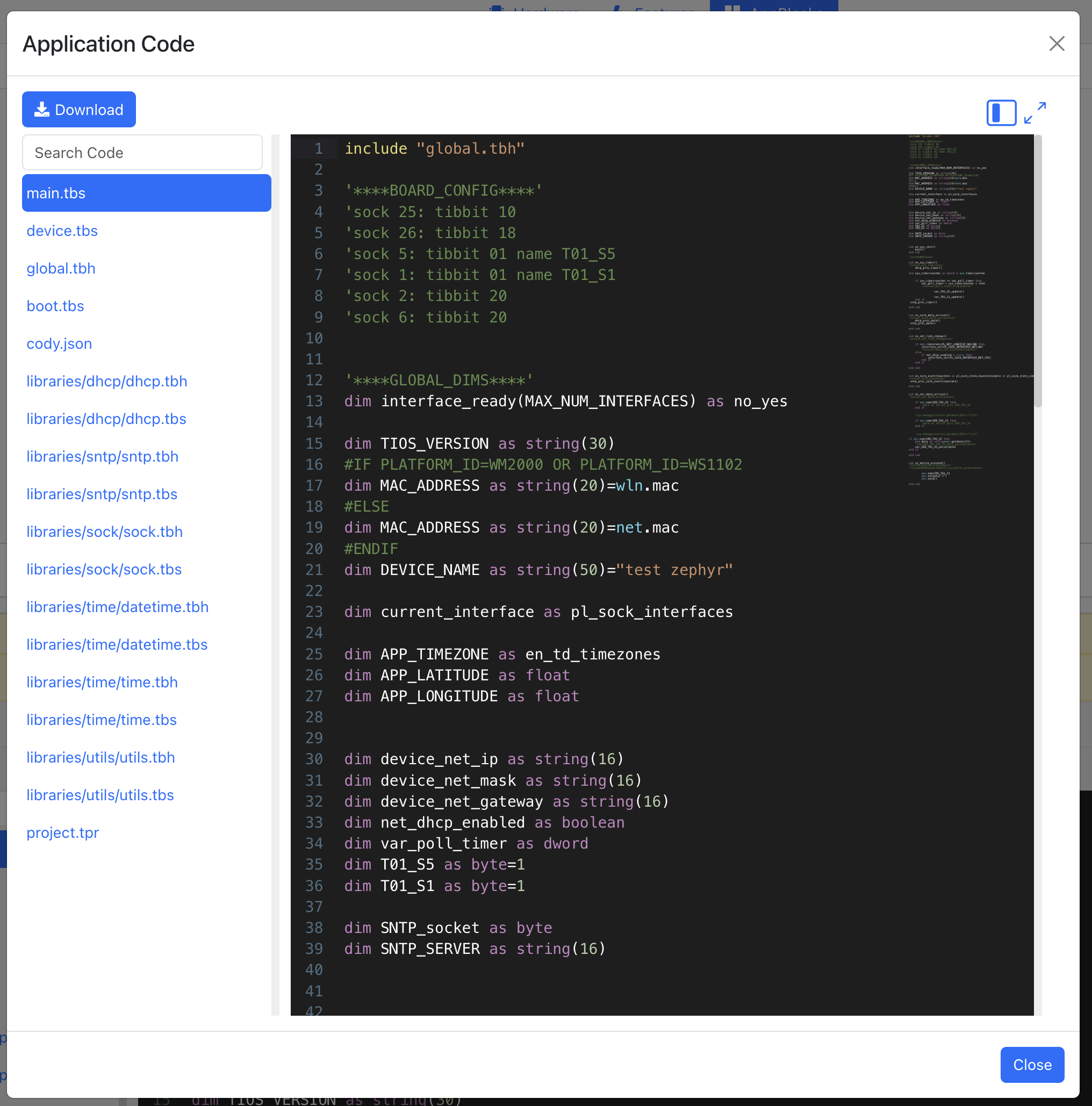
Questions, answered.
Do I need to know Zephyr or C?
No. You describe your firmware as a flowchart in the AppBlocks Designer. AppBlocks handles CMake, Kconfig, device trees, and RTOS primitives such as threads, queues, and timers, then generates the Zephyr firmware for you.
Which boards can I target?
Tibbo hardware plus Zephyr-supported boards from Nordic, Espressif, Raspberry Pi, and others. See the supported boards.
Can I add my own code?
Yes. The Custom Function block runs code you write, and you can export the generated source at any time to keep building on it by hand.
What do I need to install?
The Designer runs in your browser. To program a device connected to your computer, install the Tibbo Desktop Extension for Windows or macOS. Install the extension.
Can I try it without hardware?
Yes. CloudADKs are real AppBlocks Demo Kits running in our lab. Program one from your browser and watch it through a camera. No credit card required.
Ready to connect your first device?
Start free in your browser, follow the tutorials, or book a free one-on-one session. No board yet? We’ll demonstrate everything on ours.