Automate across your fleet, and beyond it.
Workflows run in AppBlocks Cloud, not on the device. They can act on several devices at once and reach systems a device can’t, such as email, external APIs, or your own JavaScript.
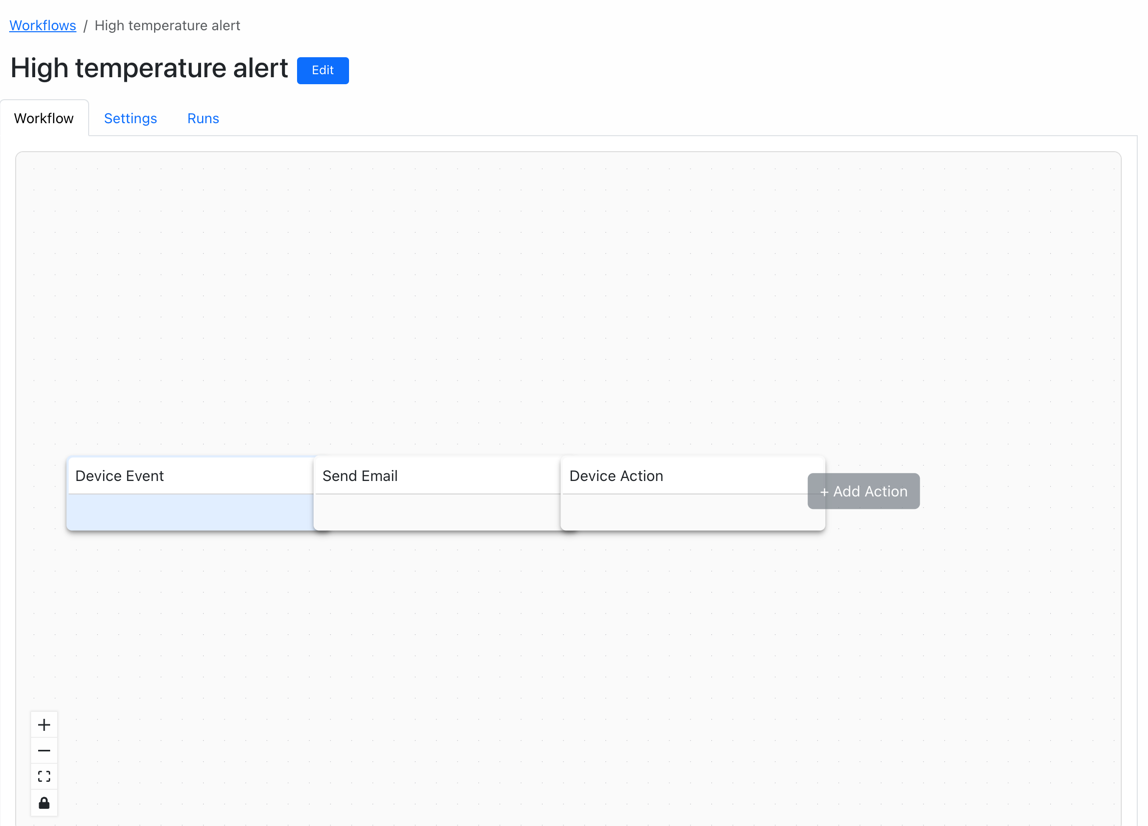
One trigger, a chain of nodes.
Four kinds of trigger
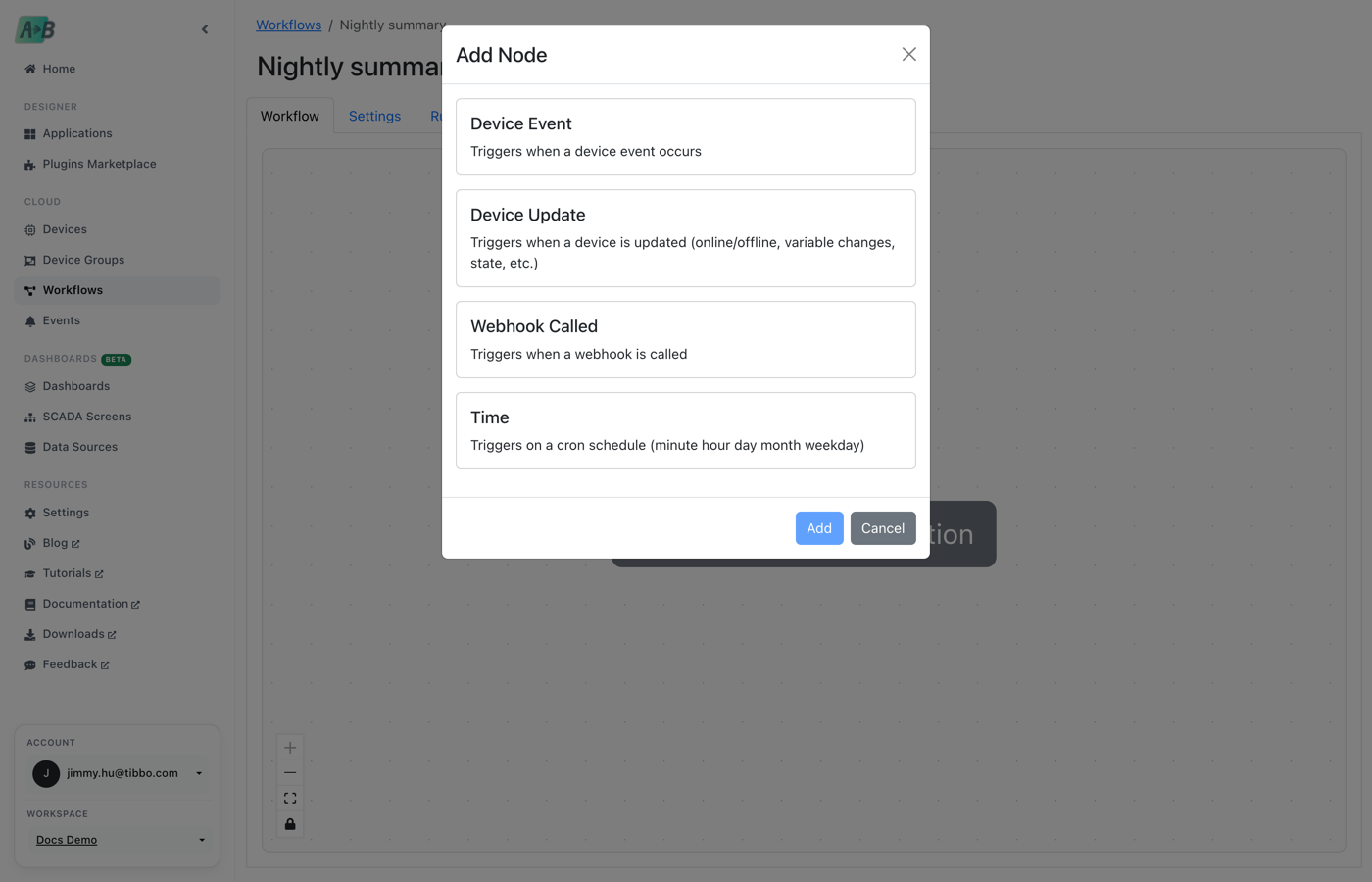
A cron schedule, a webhook call, a device event, or a device update such as a connection change or new variable value.
Conditions
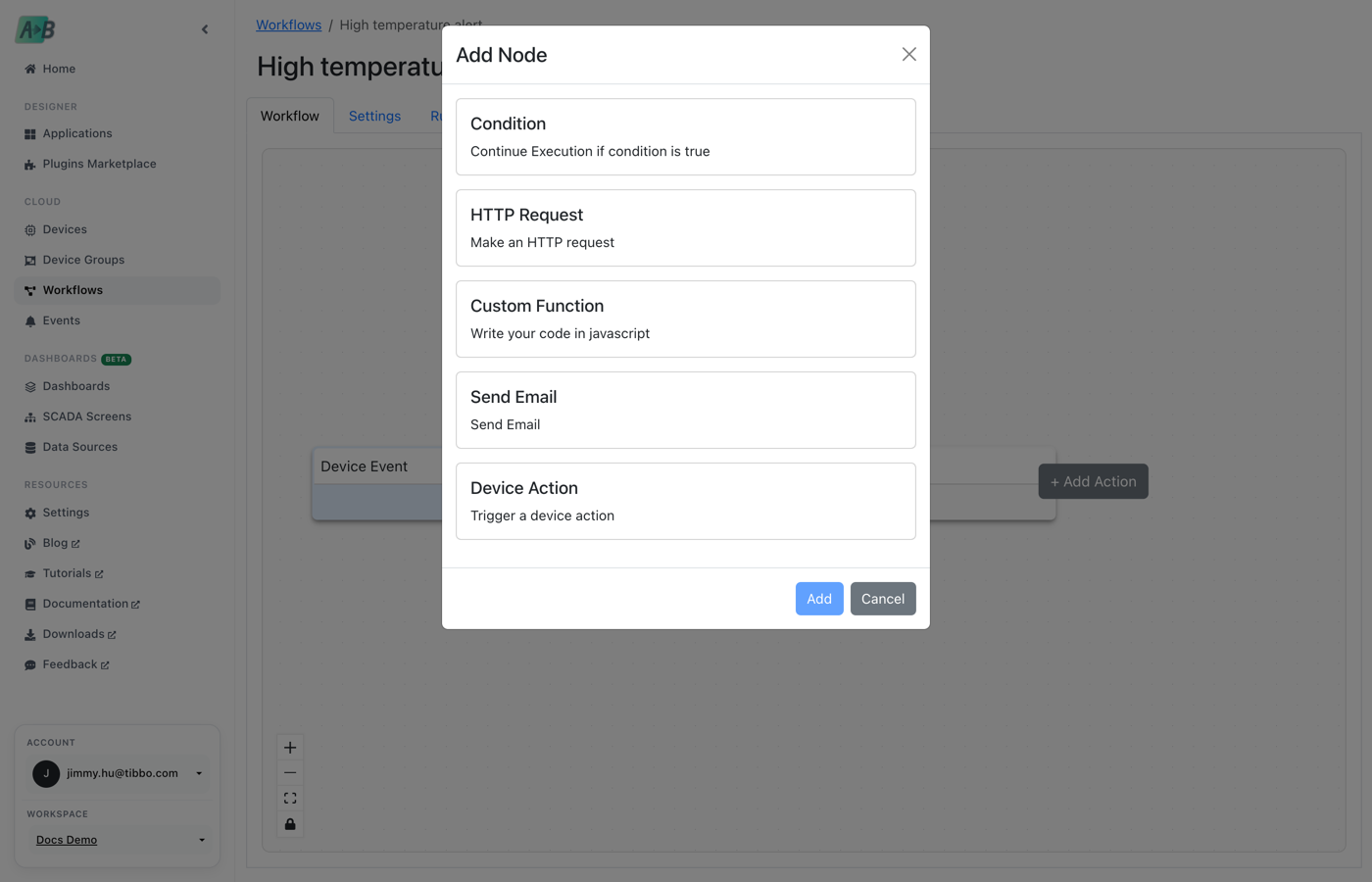
Continue only when the data matches, with =, !=, >, <, >=, and <= comparisons.
Device actions
Set a variable or execute a command, on the triggering device or another one.
Email and HTTP
Send HTML emails, and call external APIs with GET, POST, PUT, or DELETE.
Your own JavaScript
Custom Function nodes run JavaScript, and any text field accepts {{ }} expressions.
Every run recorded
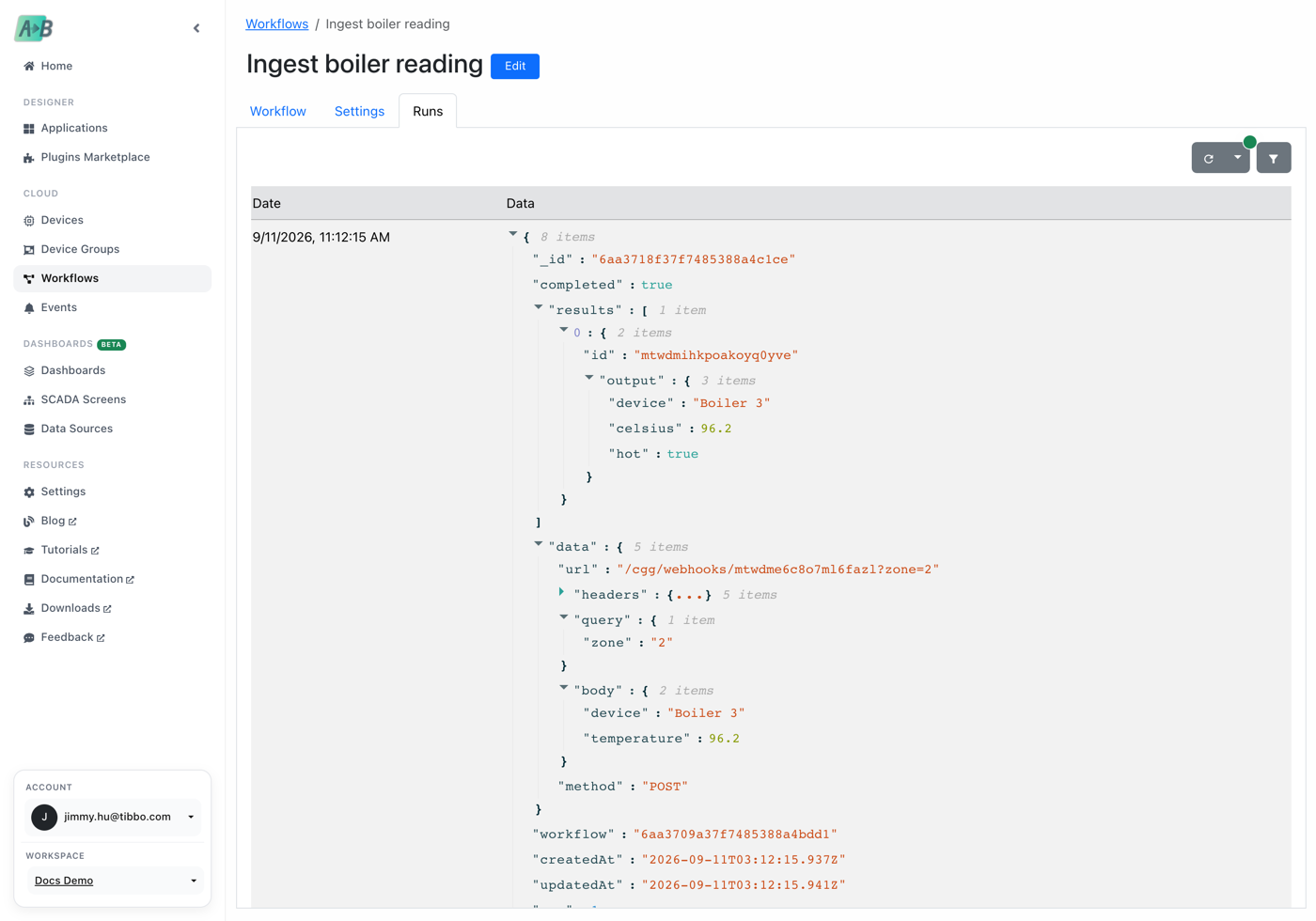
See the trigger data and each node’s result for every run.
From device event to action in minutes.
Start from a trigger
Run a workflow on a schedule, when a webhook is called, or when devices report something. Device triggers can watch any device, one specific device, or a device group, and can add conditions before the workflow runs.
- Time: standard five-field cron
- Webhook: a generated public URL that accepts JSON, form, or text bodies
- Device event or device update: connection, metrics, variables, tables, state, or config
Chain the nodes you need
Add nodes one after another: check a condition, call an API, email a technician, then switch something on the device. Each node can use the output of the one before it.
Expressions everywhere
Any text field accepts {{ }} expressions with full JavaScript. Reach the trigger data, the previous node’s output, and workspace or tenant variables, with a helper that lists the available paths.
Subject:  {{ data.device.name }} needs attention
Body:     Boiler reported {{ data.update.value }} °C
          at {{ new Date().toISOString() }}

Condition:
  {{ Number(data.update.value) }}   >   30

URL:      {{ workspace.variables.API_ENDPOINT }}
See what happened, node by node
The Runs tab keeps a record of each execution, including the data that triggered it and the result of every node, so you can see exactly why a workflow did or didn’t act.
Questions, answered.
Do workflows run on the device?
No. Workflows run in AppBlocks Cloud. Keep time-critical logic in your device flows, and use workflows for anything that spans devices or reaches outside systems.
Can a workflow call my own API?
Yes. The HTTP Request node supports GET, POST, PUT, and DELETE, and later nodes can use the response.
Can external systems start a workflow?
Yes. A Webhook trigger gives each workflow a public URL that accepts any method and JSON, form, or text bodies.
How long are runs kept?
Workflow runs are kept for three days.
Ready to connect your first device?
Start free in your browser, follow the tutorials, or book a free one-on-one session. No board yet? We’ll demonstrate everything on ours.