A web interface on every device, with zero UI code.
Each AppBlocks device hosts its own browser-based console. Its widgets are generated from your variables, settings, and commands, so there’s no separate front-end project to build or maintain.
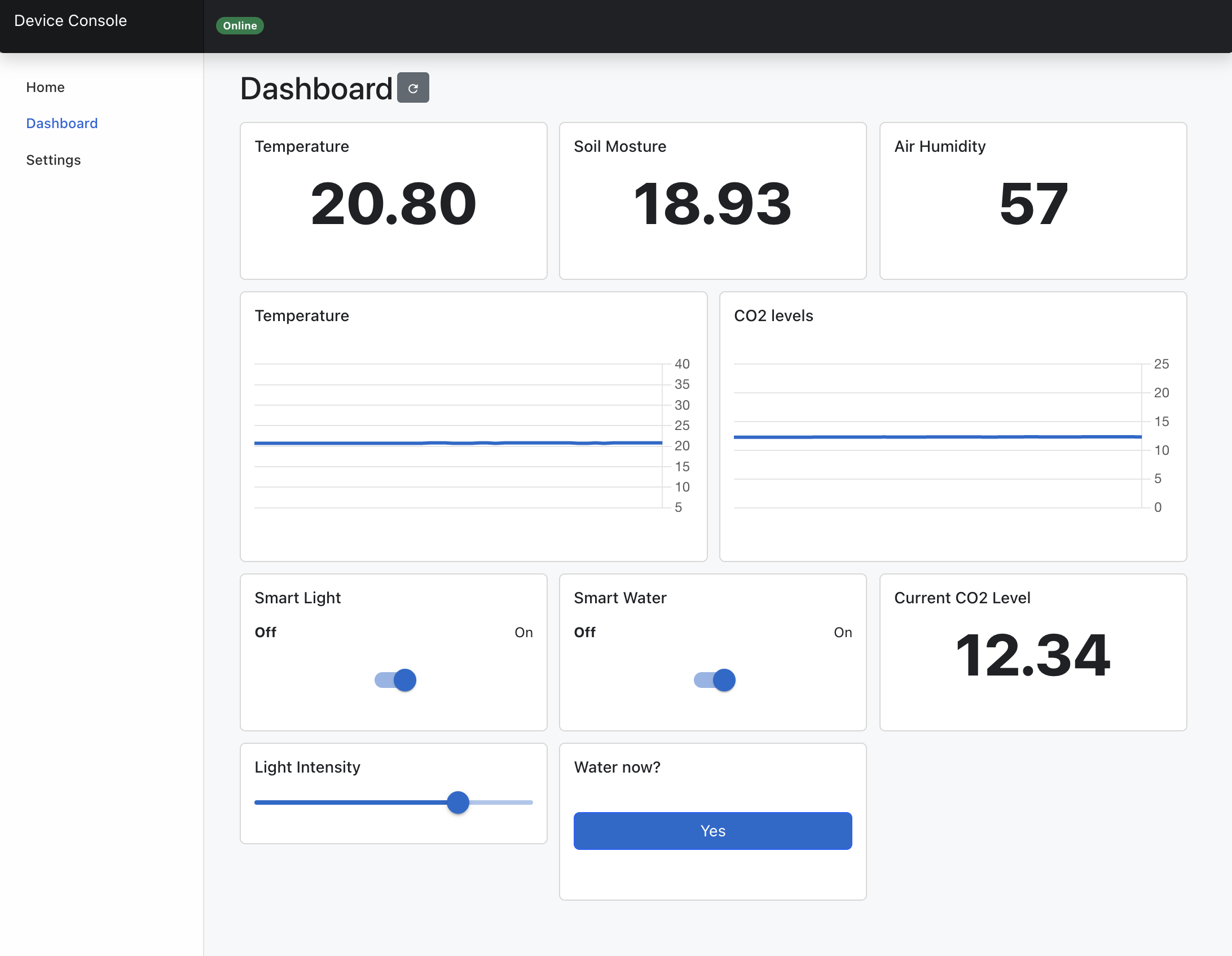
Everything an operator needs, served from the device.
Live widgets
Show variables in real time, and let buttons and switches trigger your device logic.
Settings
Pick which system and application settings to expose, and edit them from any browser.
Data tables
Filter, edit, add, and delete table entries on the device, with no database tools.
Event log
Browse the entries your flows add to the device’s event log.
Firmware upgrades
Upload new firmware and application files straight from the browser.
No cloud required
The console runs on your local network. Add AppBlocks Cloud later for remote access.
Designed in the Designer, served by the device.
Widgets generated from your app
Choose which variables and commands appear on the dashboard, and AppBlocks builds the widgets for you. Gauges and charts update live; switches, sliders, and buttons act on the device.
- Live gauges, charts, switches, sliders, and buttons
- Commands wired to your flows
- Works in any modern browser
Auto-generated from your AppBlocks project
Settings without a config tool
Create settings in the Designer, then decide which ones the Web Console exposes. Operators change them in the browser, and the device stores them in non-volatile memory.
Settings in the docs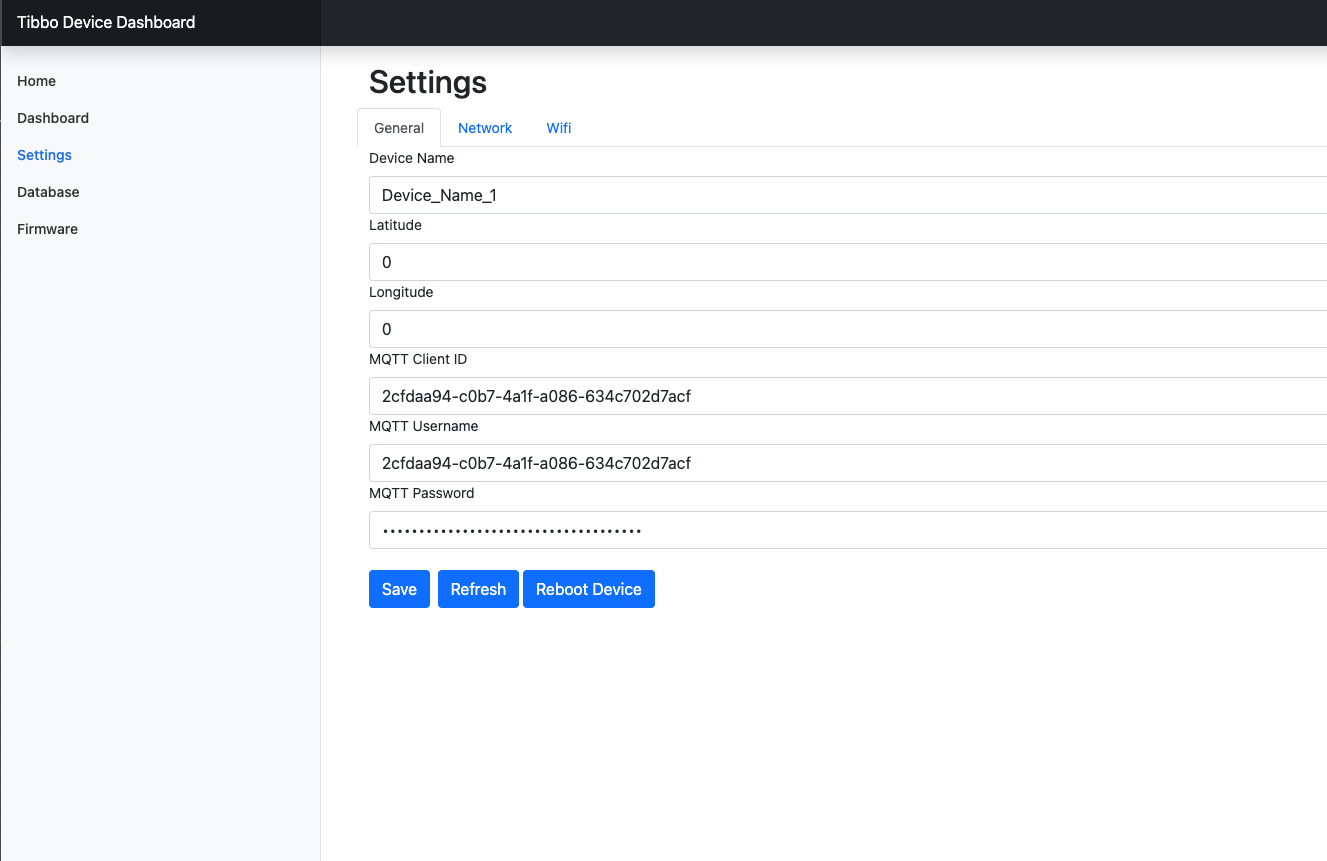
Data tables, right on the device
Tables are hidden by default. Expose one and operators can filter, edit, add, and delete its entries from the console, for example to maintain an access-card list or a schedule.
Data tables in the docs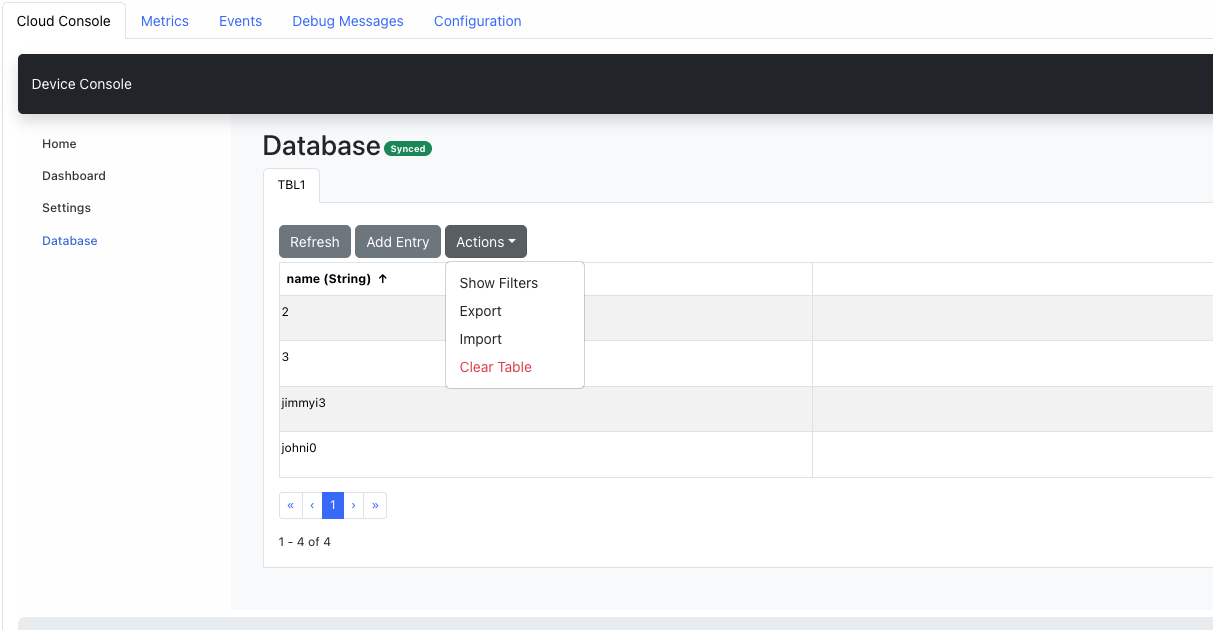
Firmware upgrades from the browser
Upload a single file that carries both the firmware and your application. It’s the quickest way to update a device on your bench, or on a site without cloud access.
Firmware upgrades in the docs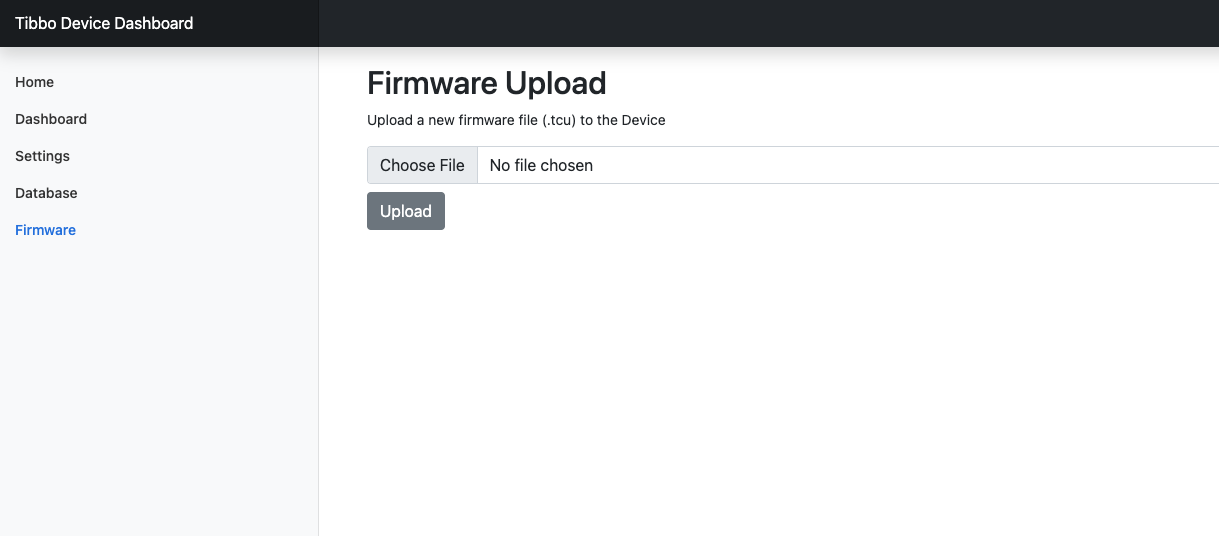
Questions, answered.
Does the Web Console need the internet?
No. The console is served by the device itself on your local network, so it keeps working without internet or cloud access.
Do I need to write HTML or JavaScript?
No. The console is generated from the variables, settings, commands, and tables you define in the Designer.
Can I reach the console remotely?
Yes, through AppBlocks Cloud. Each connected device has a cloud console that looks just like its Web Console, plus fleet-wide tools. Explore AppBlocks Cloud.
Can installers use a phone instead?
Yes. The LUIS app edits the same settings over Bluetooth LE, even before the device joins a network. Explore the mobile app.
Ready to connect your first device?
Start free in your browser, follow the tutorials, or book a free one-on-one session. No board yet? We’ll demonstrate everything on ours.