Your whole fleet in one place, without an SDK.
Turn on cloud connectivity in the Designer and your devices show up ready to manage. As soon as a device reports its application name and version, the Cloud knows the parameters, data tables, events, and commands it exposes.
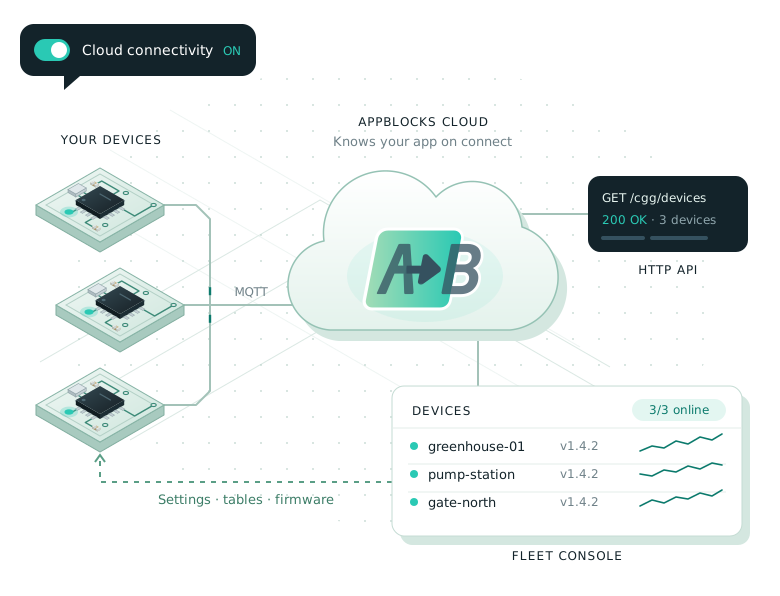
Everything you’d otherwise build yourself.
No integration code
Cloud connectivity is a toggle in the Designer. Devices connect over MQTT with their own device ID and key.
Live state and metrics
Connection status, firmware and application versions, variables, logs, and the metrics your flows report.
Remote operations
Write variables, edit data tables or import them from CSV, and send commands to any device.
Device groups
Bind devices to a firmware version plus shared settings and tables. Devices you add later inherit them.
Workspaces and tenants
Give each end customer a tenant of their own, with roles for your team and theirs.
HTTP API
The same API the web app uses. Anything you can do in the UI, you can script.
Built for teams that ship devices to customers.
Monitor every device
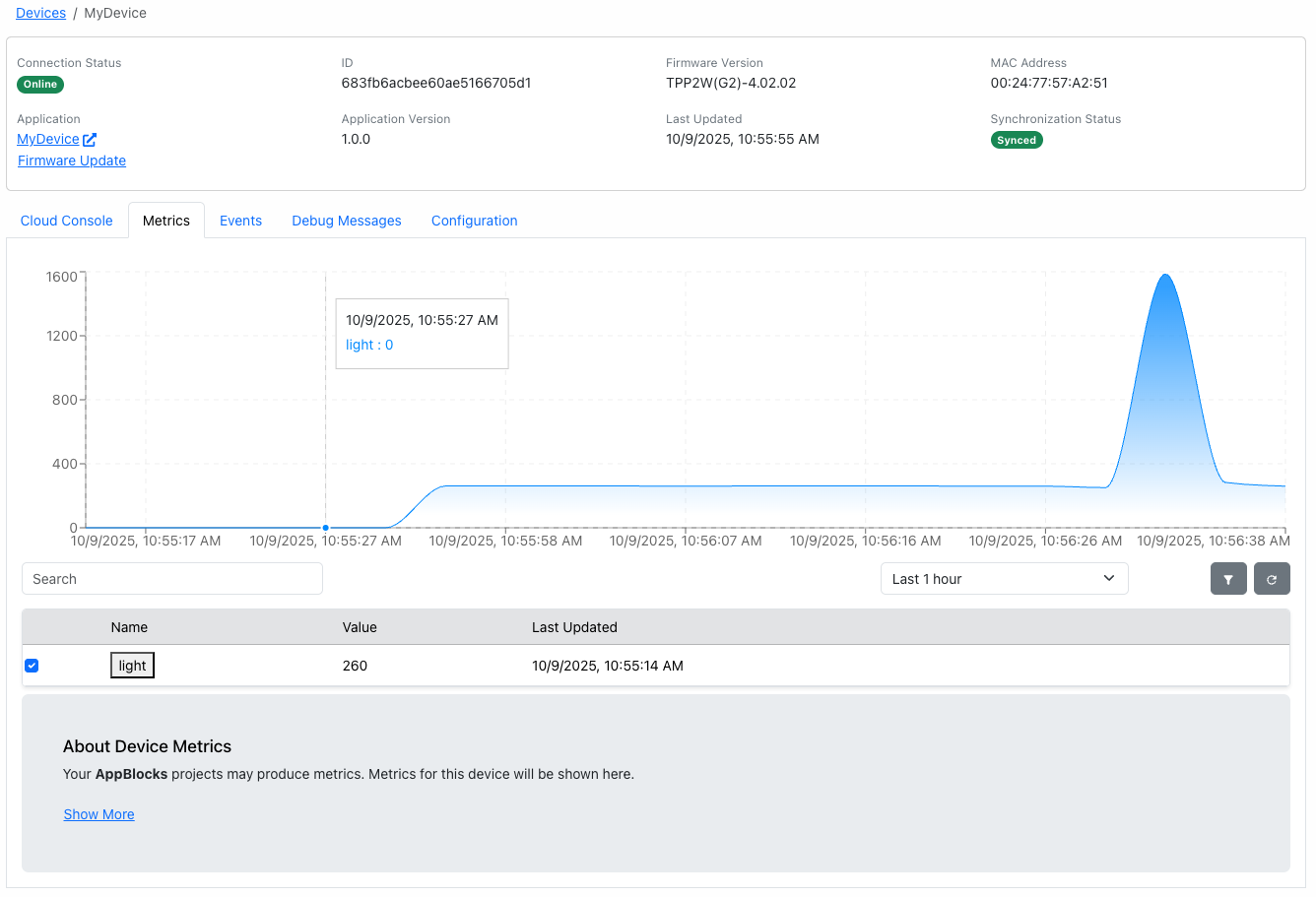
See which devices are online, what they’re running, and how they’re doing. Flows report named metrics with the AppBlocks Cloud Metric block, and the Cloud charts them over time.
- Connection and synchronization status
- Firmware and application version per device
- Metrics, events, and debug messages
Change settings and tables remotely
Edit a device’s operational parameters and data tables from the cloud console. Pending changes are pushed to the device as soon as it’s online.
Devices API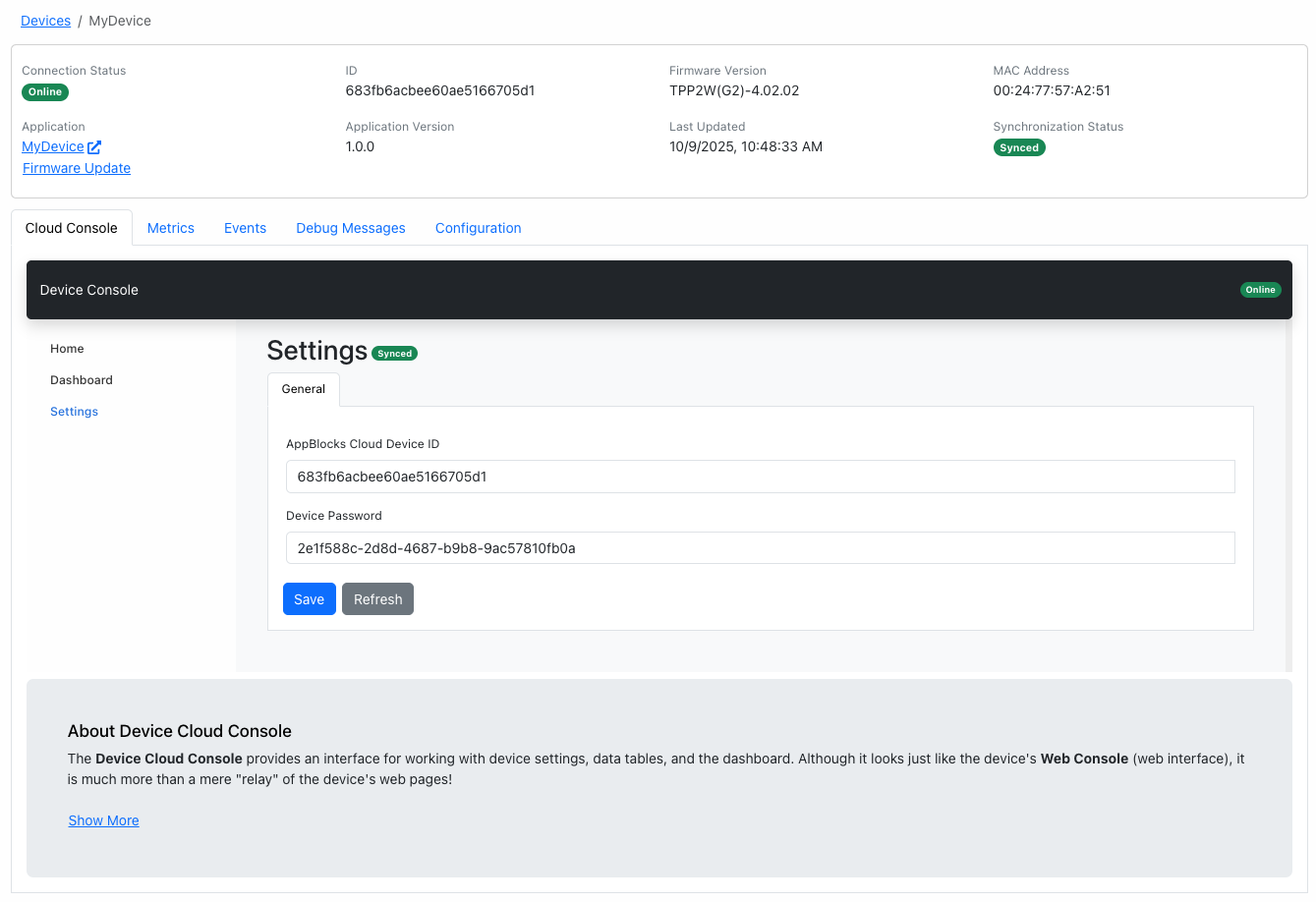
One workspace, many customers
If you build devices for several clients, give each one a tenant. Your team manages everything from the workspace, and each customer sees only their own devices.
- Workspace roles: Owner, Admin, Member, and Operator
- Tenant roles: Admin and Member
- An audit log of firmware assignments, variable writes, and commands
Workspace: Your company
├─ Applications and firmware versions
├─ Devices, groups, dashboards, workflows
├─ Audit log
│
├─ Tenant: Acme Farms       Admin · Member
└─ Tenant: Harbor Hotels    Admin · Member
Script anything with the HTTP API
Connect AppBlocks Cloud to your own back end. API keys have read or write scopes and an expiry you choose.
HTTP API reference# List devices curl -H 'x-api-key: abk_…' \ https://api.appblocks.io/cgg/devices?count=20 # Push a firmware version to a whole group POST /cgg/groups/:id/firmware
Questions, answered.
Do I need an SDK to connect devices?
No. Cloud connectivity is built into AppBlocks apps. Turn it on in the Designer and the device connects with its own device ID and key.
How do devices talk to the Cloud?
Over MQTT. The only HTTP request a device makes is to download a firmware update.
Can I use my own cloud instead?
Yes. AppBlocks apps can publish to any MQTT broker, call HTTP APIs, and send telemetry to Azure IoT, with or without AppBlocks Cloud. MQTT in AppBlocks.
Can I manage devices for several customers?
Yes. Create a tenant for each customer. Tenant users see only their own devices, while your team manages everything from the workspace.
Ready to connect your first device?
Start free in your browser, follow the tutorials, or book a free one-on-one session. No board yet? We’ll demonstrate everything on ours.