




Visual firmware builder · Zephyr RTOS日本語
From flowchart to working firmware in days, not weeks.
AppBlocks turns flowcharts you draw in the browser into clean, readable Zephyr firmware for hundreds of boards. No CMake, Kconfig, or device tree wrangling. Need production hardware, too? We make that as well.
5,000+ projects created/No credit card required/Readable C code you can extend
- projects created in AppBlocks
- 5,000+
- years of Tibbo OS lessons built in
- 20+
- Zephyr boards you can target
- 1000+
- ready-made blocks, from Modbus to MQTT
- 90+
01Design
Draw your application logic.
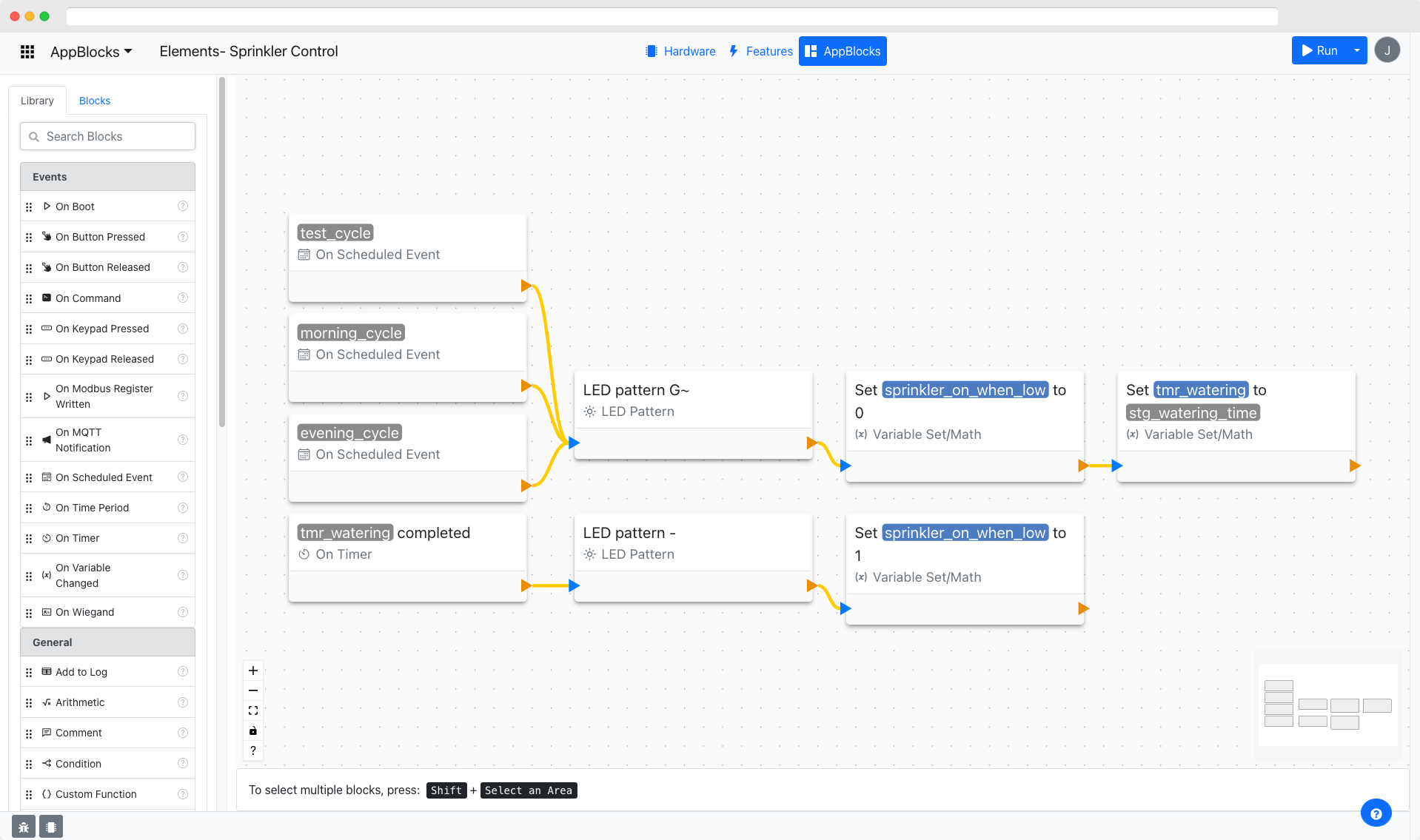
Drag flowchart blocks onto the canvas to define your device's behavior, then run it live. AppBlocks compiles the same diagram into native Zephyr RTOS firmware you can download and flash — without writing any code.
Drag blocks from the palette
02Industries
From solar farms to factory floors.
Monitors, controllers, and protocol gateways for industrial automation and IoT. Here are some of the places AppBlocks fits.
Solar & energy
- Inverter and string monitoring
- Battery storage telemetry
- Energy metering over Modbus
Water & utilities
- Pump station control
- Flow and pressure monitoring
- Leak detection
Also a fit for
Working with PLCs? See how AppBlocks fits alongside them
Don’t see your application? Tell us what you’re building
Bridge protocols end to end
Read field buses and I/O, transform the data in your AppBlocks logic, and publish it over cloud-friendly transports: Modbus, BACnet, OPC UA, MQTT, HTTP, WebSocket, and more.
- Modbus register → MQTT topic
- Digital input → REST call
- Serial frame → WebSocket stream
03Workflow
From idea to running firmware in four steps.
The AppBlocks Designer takes you from choosing a board to debugging on real hardware, all in one browser tab.
04Built in
Everything around the firmware, already built.
A device console, cloud fleet management, over-the-air updates, and a mobile app, all ready to use with your AppBlocks app. No extra projects to build.
A web console on every device
Each device hosts its own browser-based console. Widgets are generated from your variables, settings, and commands, so there’s no separate UI project to build.
- Live gauges, charts, switches, sliders, and buttons
- Edit settings and data tables, and browse the event log
- Served straight from the device, no cloud required
Auto-generated from your AppBlocks project
Your whole fleet in one place
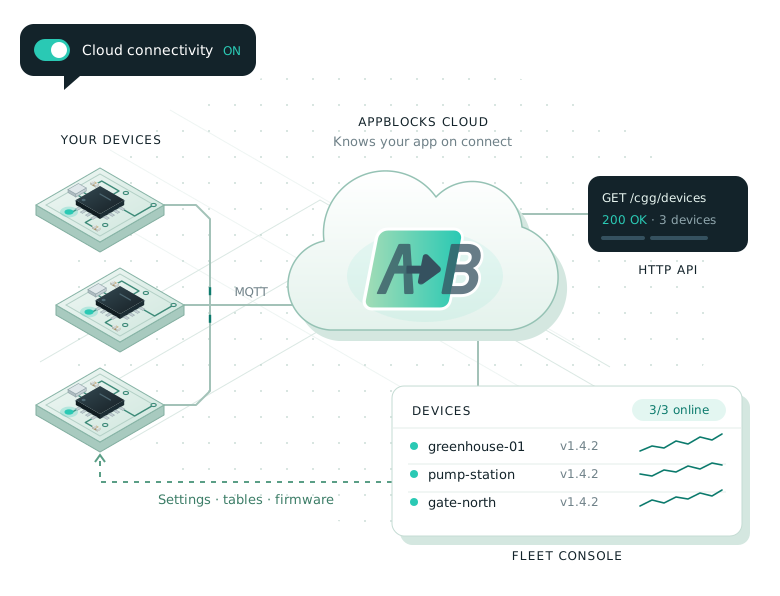
AppBlocks Cloud knows your app the moment it connects. As soon as a device reports its application name and version, the Cloud knows the parameters, data tables, events, and commands it exposes.
- Monitor the status and metrics of every device
- Edit operational parameters and data tables remotely
- Group devices, and script anything with the HTTP API
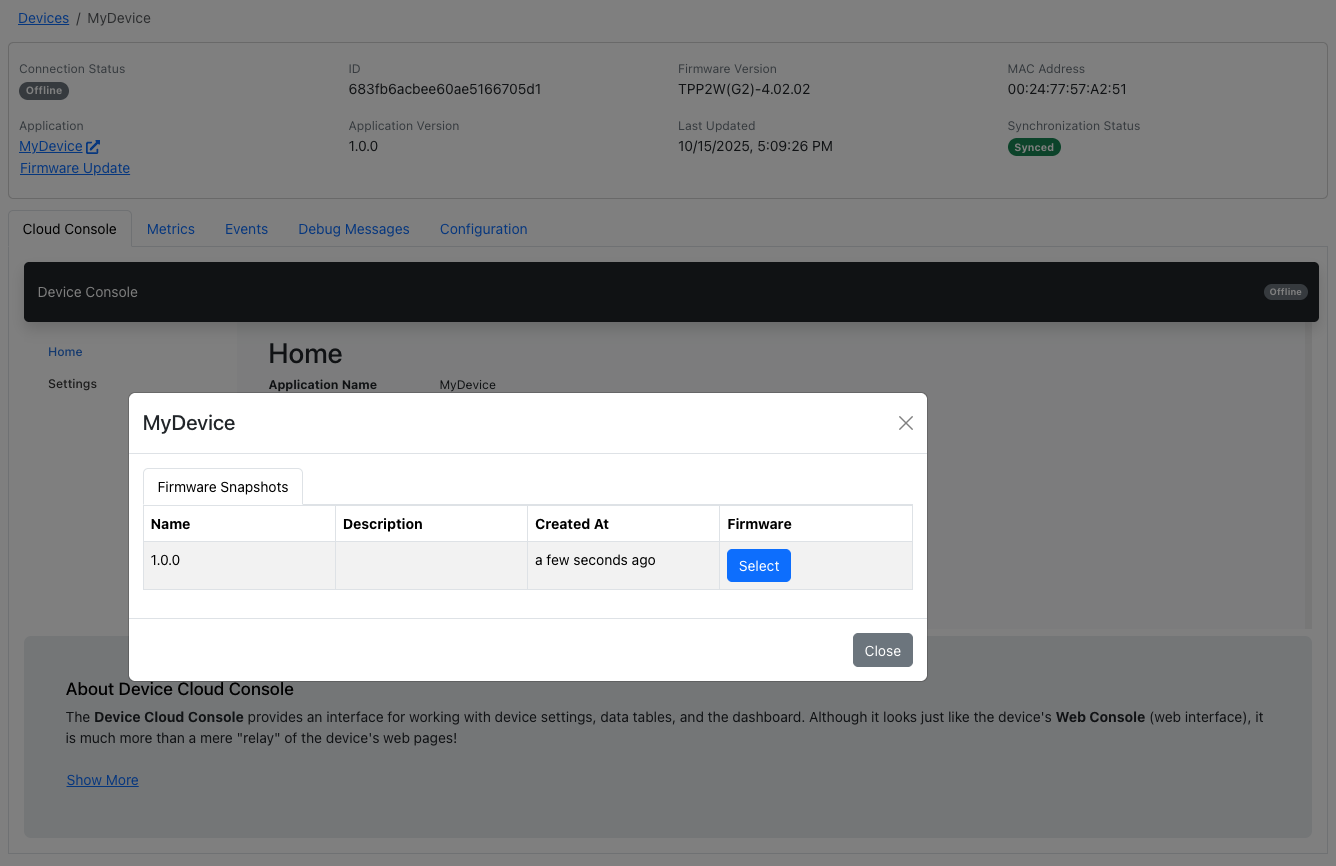
Update firmware over the air
Ship fixes and new features to devices already in the field. Deploy from AppBlocks Cloud, or from the device’s own Web Console.
- Deploy firmware and application snapshots wirelessly
- Staged rollouts, with rollback to previous versions
- See which version every device is running
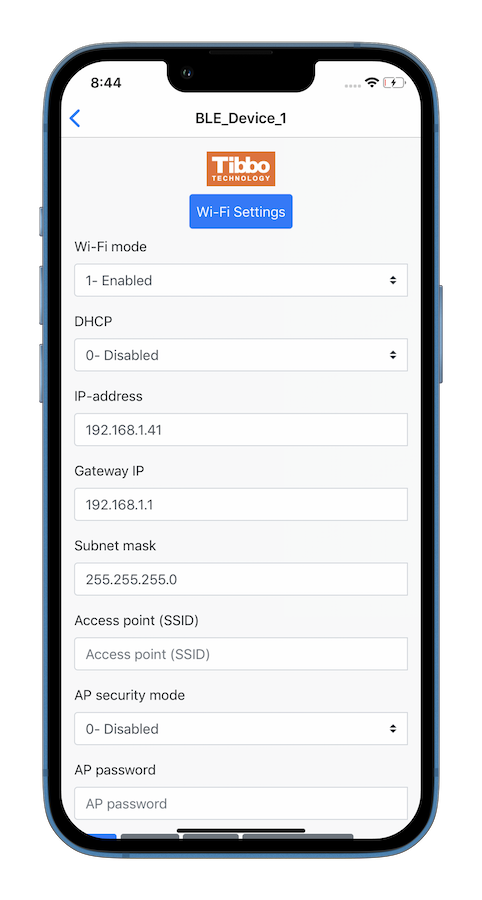
Set up devices from your phone
The LUIS app connects to your device over Bluetooth LE, so installers can configure it on site, even before it joins a network.
- Available for iOS and Android, plus a web app
- Choose which settings to expose, and how they appear
- Group related settings together
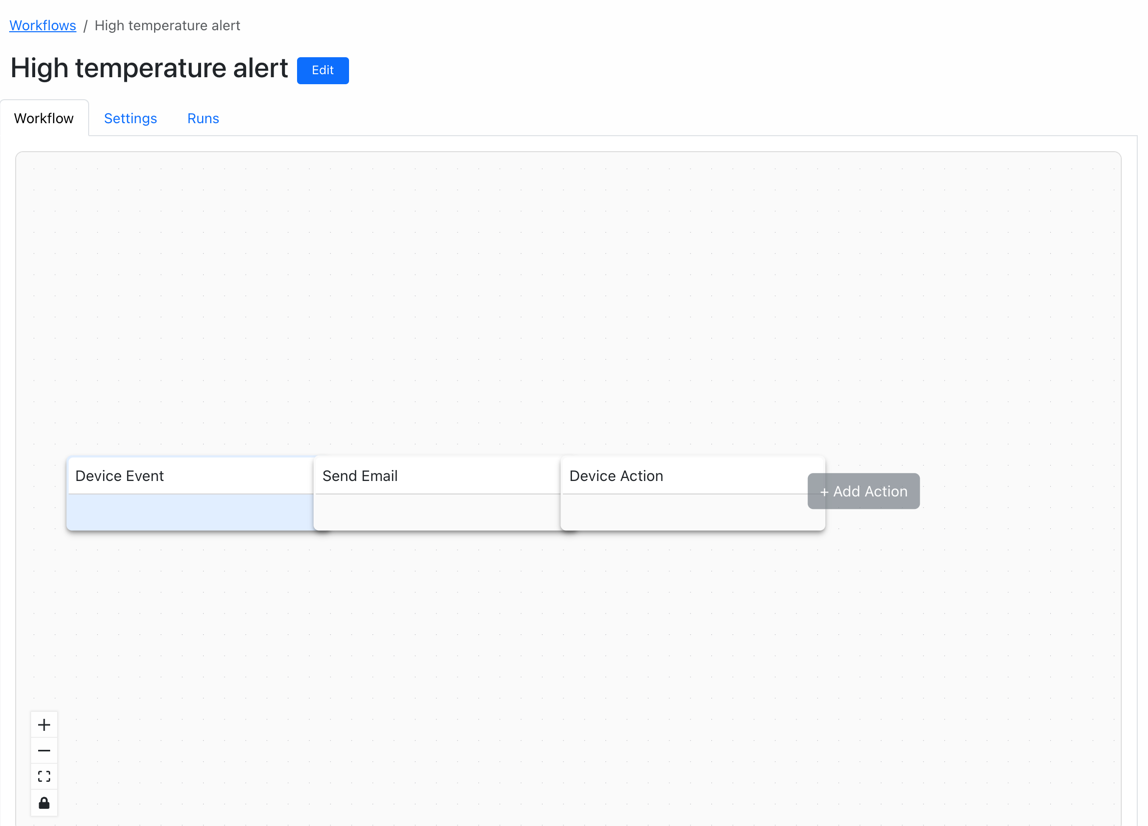
Automate across your fleet
Workflows run in AppBlocks Cloud, not on the device. They can reach several devices at once and talk to systems the device can’t, such as email, external APIs, or your own JavaScript.
- Trigger on a schedule, a webhook, or a device event
- Chain conditions, HTTP requests, emails, and device actions
- Every run is recorded, node by node
05Under the hood
All the power of Zephyr, none of the boilerplate.
Getting a Zephyr project off the ground usually takes days before you write a single line of application code. AppBlocks takes care of that part.
Hand-written Zephyr project
- CMakeLists.txtbuild system
- prj.confKconfig options
- app.overlaydevice tree
- west.ymlwest manifest
- src/main.cthreads, queues, GPIO
With AppBlocks, you draw
On BootRead sensorMQTT publish
…and AppBlocks generates- CMakeLists.txt
- prj.conf
- app.overlay
- west.yml
- src/main.c
No toolchain wrangling
CMake, Kconfig, device tree overlays, west manifests: AppBlocks handles them. You design in the browser.
No RTOS plumbing
Threads, queues, GPIO bindings, and timers are generated for you. You focus on what the device does.
Clean C code you own
AppBlocks generates readable, maintainable Zephyr C code you can inspect and extend.
Any Zephyr board
From Nordic nRF to STM32 to ESP32: if Zephyr supports it, AppBlocks can target it.
Stable by design
A static memory model with no heap, learned from two decades of Tibbo OS. Memory leaks become impossible.
Built from known-good blocks
Flows are assembled from verified blocks designed to work together, so every app is consistent and predictable.
Hardware, if you need it
Need production hardware? We make that too.
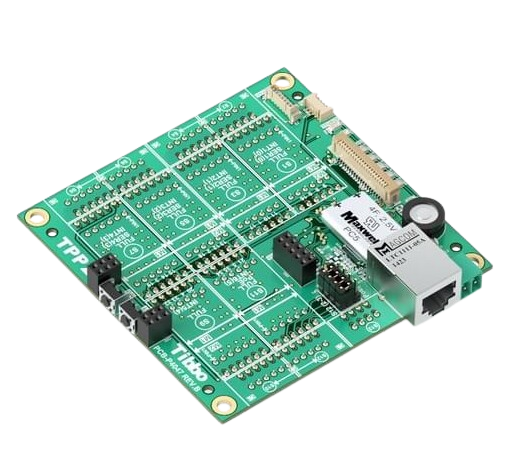
AppBlocks was built alongside the Tibbo Project System (TPS), a modular platform for industrial automation and IoT. When you need a deployment-ready device, not just a dev board, TPS has you covered.
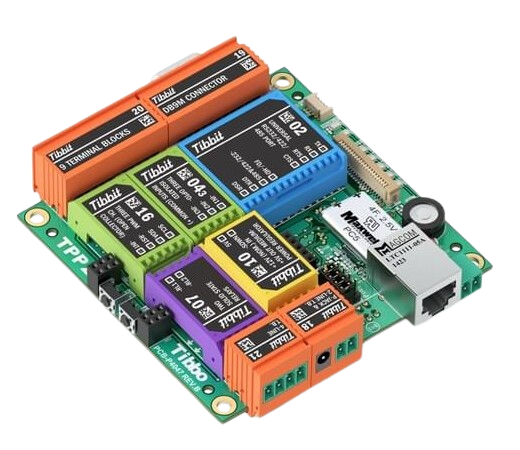
Tibbit modules
I/O that snaps into place
Dozens of color-coded Tibbits, each implementing a single I/O function. Plug them in to make the device you need.
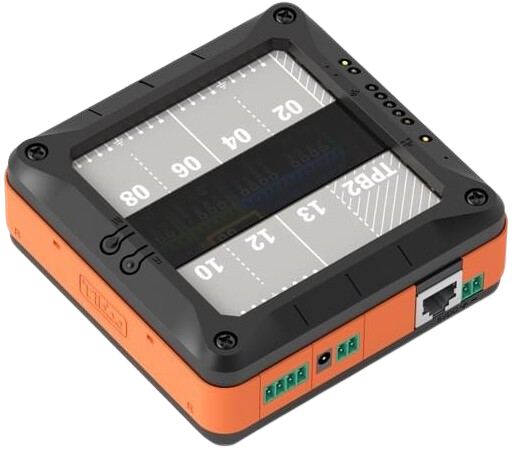
Enclosures
Deployment-ready, even in a quantity of one
Rows of Tibbits form two walls of the enclosure, so you never drill holes for connectors.
Configure a TPS in the Designer, which checks it as you go, then order it with Buy from Tibbo.
Get hands-on
No board on hand? Try it on ours.
The AppBlocks Demo Kit (ADK) matches every Tutorial project. Get one for your desk, or borrow one of ours in the cloud.
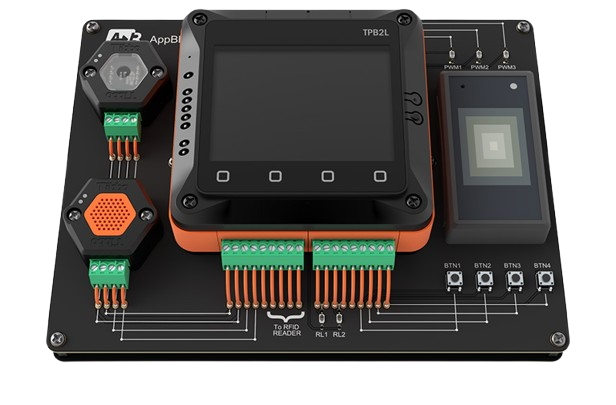
On your desk
AppBlocks Demo Kit
A TPS2L device in the configuration used by all AppBlocks Tutorials, plus the peripherals you need to test them and design new apps.
What’s in the kit
- TPS2L(G2) with these Tibbit modules:
- RS485 (#05), Wiegand port (#08), dual relay (#03-1)
- Quad I/O lines (#00-1), three-channel PWM (#16), power supply (#10)
- BP#02 temperature/humidity and BP#03 ambient light sensors
- An RFID reader and three RFID cards
- Buttons and status LEDs
- US, EU, or UK power adapter
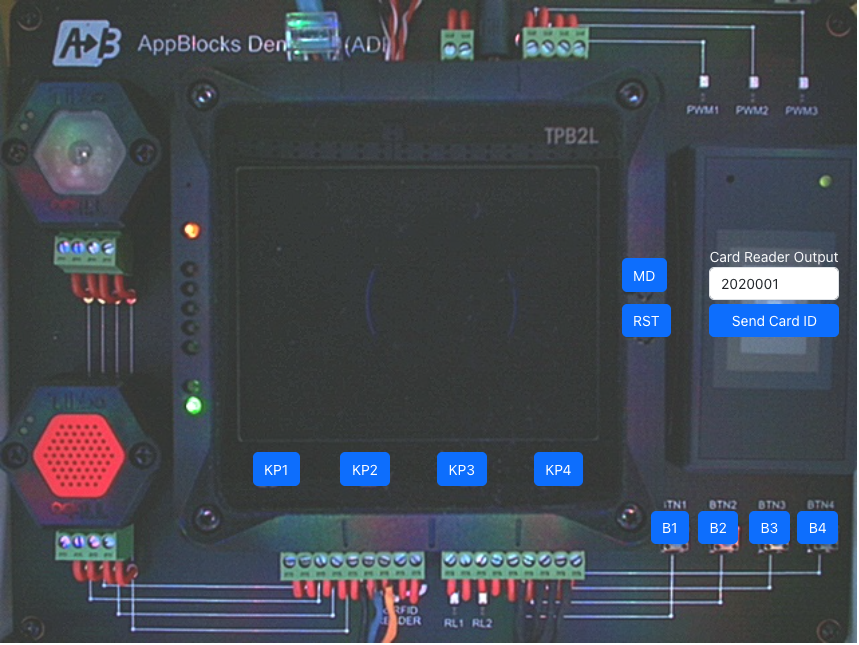
In the cloud
CloudADK
Real kits running in our lab and connected to the cloud. Push their buttons remotely, emulate inputs, and watch the LCD and LEDs through a front-facing camera.
Run your first project
No credit card required
FAQ
Questions, answered.
Do I need to know Zephyr or C?
No. You describe your firmware as a flowchart in the AppBlocks Designer. AppBlocks handles CMake, Kconfig, device trees, and RTOS primitives such as threads, queues, and timers, then generates the Zephyr firmware for you.
Which boards can I target?
Hundreds of Zephyr-supported boards from Nordic, STMicroelectronics, NXP, Espressif, and others. If Zephyr supports it, AppBlocks can target it. See supported boards.
Can I see and edit the generated code?
Yes. AppBlocks generates readable, maintainable Zephyr C code that you can inspect and extend.
Am I locked in to AppBlocks?
No. AppBlocks targets open-source Zephyr RTOS, and you can download the generated firmware source at any time and keep building on it by hand. AppBlocks Cloud also has an HTTP API: anything you can do in the UI, you can script.
Why not just ask an AI to write the firmware?
AI can produce firmware from a prompt, but you inherit its choices, every prompt starts from scratch, and there’s usually too much code to review. AppBlocks builds your app from verified blocks designed to work together, so you stay in control of the UI, I/O, timing, and logic. Read the Zephyr deep dive.
How reliable is the firmware?
AppBlocks apps are assembled from verified blocks and use a static memory model, a lesson from two decades of developing Tibbo OS. With no heap, memory leaks become impossible and devices can run unattended indefinitely. The memory savings also let apps run on inexpensive midrange ARM chips.
Do you also make hardware?
Yes. The Tibbo Project System (TPS) is a modular platform of mainboards, plug-in Tibbit I/O modules, and enclosures. Configure a TPS in the Designer and select Buy from Tibbo to order it like any other Tibbo product.
Can I try it without buying hardware?
Yes. CloudADKs are real AppBlocks Demo Kits running in our lab. You can push their buttons remotely and watch the LCD and LEDs through a front-facing camera. No credit card required.
Can you help us get started?
Yes. Get in touch, answer a few questions, and we’ll offer you a free, personalized, one-on-one online session for onboarding and training.
White-glove onboarding included
Ready to build your first firmware?
Start free in your browser, follow the tutorials, or book a free one-on-one session. No board yet? We’ll demonstrate everything on ours.