On HTTP Server Endpoint Called
This block creates a custom HTTP endpoint on your device's web server. Use it to implement REST APIs and webhooks.
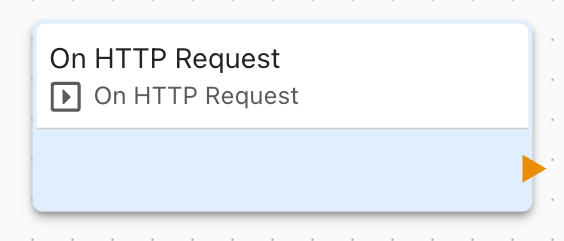
Overview
The HTTP Server Endpoint block defines custom URL endpoints that respond to HTTP requests, enabling REST API creation and webhook reception.
Configuration
- Path: URL path (e.g.,
/api/status,/webhook) - Method: HTTP method (GET, POST, PUT, DELETE)
URL Path
Define endpoint paths:
/api/temperature
/api/device/status
/webhook/alert
/control/relay/1
Use clear, RESTful path structure.
HTTP Methods
Support different HTTP methods:
GET
- Retrieve data or status
- No request body
- Idempotent operation
GET /api/temperature
Response: {"value": 22.5, "unit": "C"}
POST
- Submit data
- Create new resources
- Include request body
POST /api/command
Body: {"action": "start"}
PUT
- Update existing resource
- Replace resource data
PUT /api/settings
Body: {"temp_setpoint": 25}
DELETE
- Remove resource
- Clean up data
DELETE /api/log/123
Request Handling
Process incoming requests:
- HTTP Server Endpoint triggers on request
- Access request parameters
- Parse request body (if POST/PUT)
- Execute application logic
- Generate response
- Return to client
Request Data
Access request information:
- Path Parameters: Values in URL
- Query Parameters: Key-value pairs in URL
- Headers: HTTP headers
- Body: Request body content
- Client IP: Requester address
Response Generation
Build HTTP responses:
Status Codes
- 200 OK: Success
- 201 Created: Resource created
- 400 Bad Request: Invalid input
- 401 Unauthorized: Authentication required
- 404 Not Found: Endpoint not found
- 500 Internal Error: Server error
Response Body
Return data in various formats:
- JSON (most common for APIs)
- Plain text
- HTML
- XML
- Binary data
JSON APIs
Create JSON REST API:
GET /api/sensors
Response:
{
  "sensors": [
    {"id": 1, "type": "temperature", "value": 22.5},
    {"id": 2, "type": "humidity", "value": 65}
  ]
}
Use Cases
Common HTTP endpoint scenarios:
- REST API for device control
- Webhook receivers for third-party services
- Integration with web applications
- Mobile app backend
- IoT platform callbacks
- Status monitoring endpoints
Query Parameters
Parse URL query parameters:
GET /api/data?start=2023-01-01&end=2023-12-31&type=temperature

Access parameters:
- start: "2023-01-01"
- end: "2023-12-31"
- type: "temperature"
Request Body
Parse POST/PUT body:
JSON
{
  "device_id": "sensor-001",
  "value": 25.5,
  "timestamp": "2023-10-09T12:00:00Z"
}
Form Data
Key-value pairs from HTML forms
Raw Data
Binary or plain text
Webhooks
Receive webhooks from services:
- Create endpoint (e.g.,
/webhook/alert) - Configure webhook URL in third-party service
- Receive POST requests
- Parse webhook payload
- Take action based on data
Error Handling
Handle endpoint errors:
- Validate input data
- Return appropriate status codes
- Provide error messages
- Log errors for debugging
Related Blocks
- HTTP Request: Make HTTP requests
- Variable Set: Process request data
- Comparison: Validate input
- Table Update: Store received data
Integration Examples
Integrate with:
- Web applications
- Mobile apps
- IFTTT and Zapier
- Home Assistant
- Node-RED
- Custom dashboards
Documentation
Document your API:
- List all endpoints
- Describe parameters
- Show example requests/responses
- Document error codes
- Provide authentication details
Testing
Test endpoints:
- Use browser for GET requests
- Use curl or Postman for all methods
- Test error conditions
- Verify authentication
- Check response formats
Troubleshooting
Common endpoint issues:
- 404 Not Found: Check path spelling and configuration
- Method Not Allowed: Verify HTTP method matches
- Authentication Failed: Check credentials and headers
- Invalid JSON: Validate request body format