On Socket Data
This block is triggered when data is received through a socket connection. Use it to process incoming data from remote servers and devices.
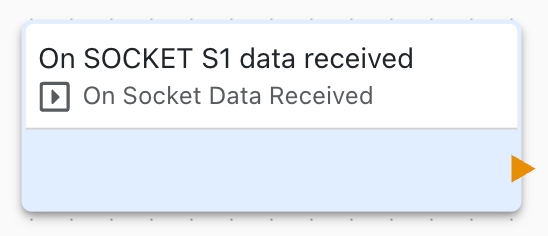
Overview
The On Socket Data block receives data from TCP/IP socket connections, enabling your application to process responses from remote servers and custom protocols.
Configuration
- Socket Connection: Which socket to receive data from
- Output: Variable to store received data
- Buffer Size: Maximum data size to receive
Data Reception
When data arrives:
- On Socket Data block triggers
- Received data stored in output variable
- Process and parse data
- Extract relevant information
- Take appropriate action
Data Format
Handle various data formats:
Text/String
- UTF-8 or ASCII text
- Line-based protocols
- JSON messages
- XML data
Binary
- Raw binary data
- Protocol-specific packets
- File transfers
- Image data
Hexadecimal
- Hex-encoded data
- Debugging format
- Legacy protocols
Data Parsing
Parse received data:
Line-Based Protocols
Split by newline characters
Fixed-Length Messages
Extract fixed-size chunks
Delimited Messages
Parse by delimiter characters
JSON/XML
Parse structured data formats
Use Variable Set and string manipulation to parse data.
Buffer Management
Socket receive buffer:
- Configurable buffer size
- Automatic buffering
- Multiple message handling
- Overflow protection
Partial Data
Handle partial message reception:
- Data may arrive in chunks
- Accumulate until complete
- Detect message boundaries
- Validate message completeness
Use Cases
Common socket data reception scenarios:
- Process Modbus TCP responses
- Receive API responses
- Handle custom protocol replies
- Parse sensor data streams
- Process database query results
Protocol Implementation
Implement request/response protocols:
- Socket Connect to server
- Socket Send request
- On Socket Data receives response
- Parse and validate response
- Extract result data
- Continue communication or close
Data Validation
Validate received data:
- Check message format
- Verify checksums/CRCs
- Validate protocol headers
- Detect errors and corruption
- Handle invalid data gracefully
Error Handling
Handle data reception errors:
- Incomplete messages: Wait for more data
- Invalid format: Log error and discard
- Buffer overflow: Increase buffer or limit data
- Connection closed: Handle in On Socket Event
Performance
Optimize data reception:
- Use appropriate buffer sizes
- Process data efficiently
- Avoid blocking operations
- Handle large messages in chunks
State Machine
Implement protocol state machines:
State: WAITING_FOR_HEADER
On Socket Data:
  Parse header
  Transition to WAITING_FOR_BODY

State: WAITING_FOR_BODY
On Socket Data:
  Parse body
  Process message
  Transition to WAITING_FOR_HEADER
Multiple Connections
Receive from multiple sockets:
- Create separate data blocks
- Track state per connection
- Process messages independently
- Coordinate responses
Related Blocks
- Socket Connect: Establish connection
- Socket Send: Send requests
- On Socket Event: Monitor connection
- Comparison: Parse and validate data
- Variable Set: Process received data
Binary Protocol Example
Parse binary Modbus response:
- On Socket Data triggers
- Extract function code (byte 0)
- Extract data length (byte 1)
- Extract data values (bytes 2+)
- Calculate and verify CRC
- Store results in variables
Logging
Log received data for debugging:
- Raw data (hex dump)
- Parsed values
- Timestamps
- Connection information
Security
Secure data reception:
- Validate all input data
- Sanitize before use
- Check message source
- Implement rate limiting
- Use TLS/SSL encryption
Troubleshooting
Common data reception issues:
- No data received: Check connection and sender
- Partial data: Increase timeout or buffer size
- Garbled data: Check encoding and format
- Parse errors: Log raw data for analysis