AppBlocks Cloud (ABC) is a powerful device management platform for all TPS systems, enabling remote updates, settings management, event logging, and metrics collection. In this tutorial, we will be publishing TPS data to a cloud dashboard.
You need an AppBlocks account to continue.
This setup will build upon the BP Sensors to LCD Graph tutorial. After signing in, navigate to your TPS device settings. Under the Features menu, locate AppBlocks Cloud and enable it. You should now be prompted to create a device.
Your screen should look like this now.
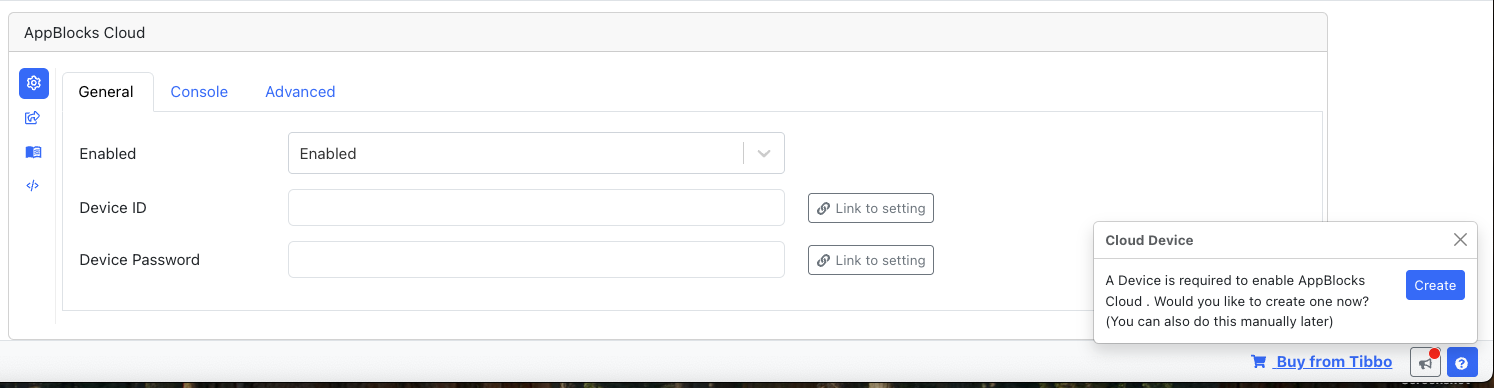
Simply accept the prompt to register your TPS device with AppBlocks Cloud.
To configure the user interface, go to the Console tab within AppBlocks Cloud and select Dashboard. Here, you can customize the layout and widgets according to your needs. For guidance on setting up your dashboard, refer to this example.
Finally, to view your dashboard in real time, visit Devices, select your registered device, and open the Console tab. You should now see your dashboard widgets operating live and reflecting the sensor data.