Serial Data Send
This block sends data through a serial port (UART/RS-232/RS-485). Use it for serial communication with devices and equipment.
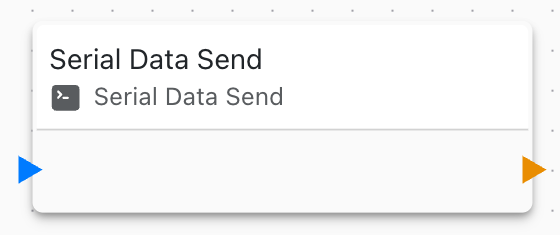
Overview
The Serial Data Send block transmits data over serial communication interfaces, enabling connectivity with industrial equipment, sensors, and legacy devices.
Configuration
- Serial Port: Which UART/COM port to use
- Data: Message or data to send
- Format: Text, binary, or hexadecimal
- Line Ending: None, CR, LF, or CRLF
Serial Port Settings
Configure serial parameters:
- Baud Rate: 9600, 19200, 38400, 57600, 115200, etc.
- Data Bits: 7 or 8
- Parity: None, Even, Odd
- Stop Bits: 1 or 2
- Flow Control: None, Hardware (RTS/CTS), Software (XON/XOFF)
Data Format
Send data in various formats:
Text/String
Plain text with optional line endings
Binary
Raw binary data for binary protocols
Hexadecimal
Hex-encoded for debugging and testing
Use Cases
Common serial communication scenarios:
- Send Modbus RTU commands
- Control serial printers
- Communicate with industrial PLCs
- Send AT commands to modems
- Control motor drivers
- Interface with GPS modules
- Legacy equipment integration
Line Endings
Choose appropriate line ending:
- None: Raw data, no terminator
- CR (\r): Carriage return
- LF (\n): Line feed
- CRLF (\r\n): Both CR and LF
Match the protocol requirements of target device.
Hardware Interfaces
Serial hardware types:
RS-232
- Point-to-point communication
- Short distances (up to 15m)
- Voltage levels: ±3V to ±15V
- Common for PCs and embedded devices
RS-485
- Multi-drop bus topology
- Long distances (up to 1200m)
- Differential signaling
- Industrial standard
- Multiple devices on one bus
UART/TTL
- Direct logic level (3.3V or 5V)
- Board-to-board communication
- Short distances
- Simple hardware
Buffer Management
Serial send buffer:
- Queued for transmission
- Hardware flow control support
- Non-blocking operation
- Automatic buffering
Error Handling
Handle serial transmission errors:
- Buffer full: Wait or reduce send rate
- Timeout: Check baud rate and wiring
- Framing error: Verify serial parameters
- Overrun: Reduce data rate
Monitor errors with On Serial Error events.
Timing Considerations
Serial timing is critical:
- Calculate transmission time based on baud rate
- Add delays between messages if required
- Consider turnaround time for half-duplex (RS-485)
- Respect device response times
Modbus RTU Example
Send Modbus RTU command:
- Build Modbus message (address, function, data)
- Calculate CRC-16
- Append CRC to message
- Send via Serial Data Send
- Wait for response with On Serial Data
Related Blocks
- On Serial Data: Receive serial data
- Variable Set: Prepare data to send
- Modbus Write: Higher-level Modbus
Performance
Optimize serial transmission:
- Use appropriate baud rate
- Batch data when possible
- Implement flow control
- Monitor buffer usage
Dynamic Data
Build messages dynamically:
- Include variable values
- Format sensor readings
- Construct protocol packets
- Calculate checksums
Protocol Implementation
Implement serial protocols:
- Format command message
- Send with Serial Data Send
- Wait for response
- Parse response data
- Handle errors and retries
Linking to Settings
Serial parameters can be linked to settings for:
- Runtime baud rate configuration
- Port selection
- Protocol parameters
Security
Serial security considerations:
- Physical access to serial ports
- No encryption (use application-layer security)
- Validate responses
- Implement authentication at protocol level
Troubleshooting
Common serial send issues:
- No response: Check baud rate, wiring, and device power
- Garbled data: Verify serial parameters match device
- Timeout: Increase timeout or check connections
- Partial transmission: Check buffer size and flow control