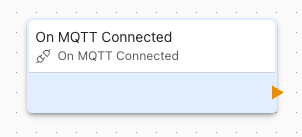
On MQTT Connected
This block is triggered when the MQTT connection status changes. Use it to handle connection and disconnection events.
Overview
The On MQTT Connected block detects changes in MQTT broker connection status, allowing your application to respond to network connectivity changes.
Trigger Events
This block triggers on:
- Connected: Successfully connected to MQTT broker
- Disconnected: Connection to broker lost
Configuration
- Event Type: Which event to trigger on (connected/disconnected/both)
Use Cases
Common connection handling scenarios:
On Connected
- Publish device online status
- Resume data transmission
- Synchronize state with broker
On Disconnected
- Log disconnection event
- Queue messages for later
- Alert monitoring systems
- Activate local-only mode
Reconnection Handling
MQTT feature automatically handles reconnection:
- Exponential backoff between attempts
- Configurable retry limits
- Automatic topic resubscription
- Retained message reception
Use this block to:
- Track reconnection events
- Alert on persistent failures
Application Flow
Typical connection handling flow:
- Device boots, attempts MQTT connection
- On Connected triggers when successful
- Application subscribes to topics
- Application publishes online status
- If connection lost, On Disconnected triggers
- Application queues outgoing messages
- Automatic reconnection attempts
- On Reconnected triggers when restored
Status Monitoring
Monitor connection health:
- Log connection/disconnection events
- Track uptime statistics
- Calculate connection reliability
- Alert on frequent disconnections
Related Blocks
- MQTT Publish: Send messages when connected
- MQTT Subscribe: Receive messages
- Variable Set: Store connection state
- On Network Changed: Monitor network status
Network Dependency
MQTT connection depends on:
- Active network connection
- WiFi or Cellular connectivity
- DNS resolution
- Firewall rules allowing connection
Monitor network status alongside MQTT status for complete picture.
Error Recovery
Handle connection errors:
- Network unavailable: Wait for network restoration
- Authentication failed: Check credentials
Message Queuing
When disconnected:
- Queue important messages locally
- Transmit when connection restored
- Implement queue size limits
- Handle queue overflow gracefully
Best Practices
Connection management best practices:
- Always handle both connected and disconnected events
- Don't publish immediately on connect - wait briefly
- Log all connection events for debugging
- Set realistic timeout values
Troubleshooting
Common connection issues:
- Frequent disconnects: Check network stability, adjust keep-alive
- Cannot connect: Verify broker address, port, and credentials
- Connects but drops: Check firewall rules, keep-alive settings
- Never reconnects: Check reconnection settings and network