Heya, Folks,
Today, we have two AI-related updates for you.

Playground: AppBlocks Mobile App Creator
At Tibbo, we’re actively experimenting with different ways of bringing useful AI functionality into AppBlocks.
Despite recent advances in AI capabilities, getting a model to reliably create meaningful, working projects from a prompt remains an elusive (albeit a seemingly close) goal. One major bottleneck is the context window size, which remains very small compared to the amount of information we have to provide.
New techniques, such as RAG (Retrieval-Augmented Generation), help inject more relevant information, and the AppBlocks team has been busy evaluating these and other emerging approaches.
To test these ideas safely and efficiently, we built a separate playground called AppBlocks Mobile (ABM).
ABM is a low-code experimental mobile application builder that includes:
- A backend server
- Authentication
- Frontend UI
- React Native
Users design their mobile apps directly in the browser and preview them in real time (kind of like with Flutter Flow).
ABM is very much a work in progress, but it already allows you to:
- Vibe-code simple mobile apps
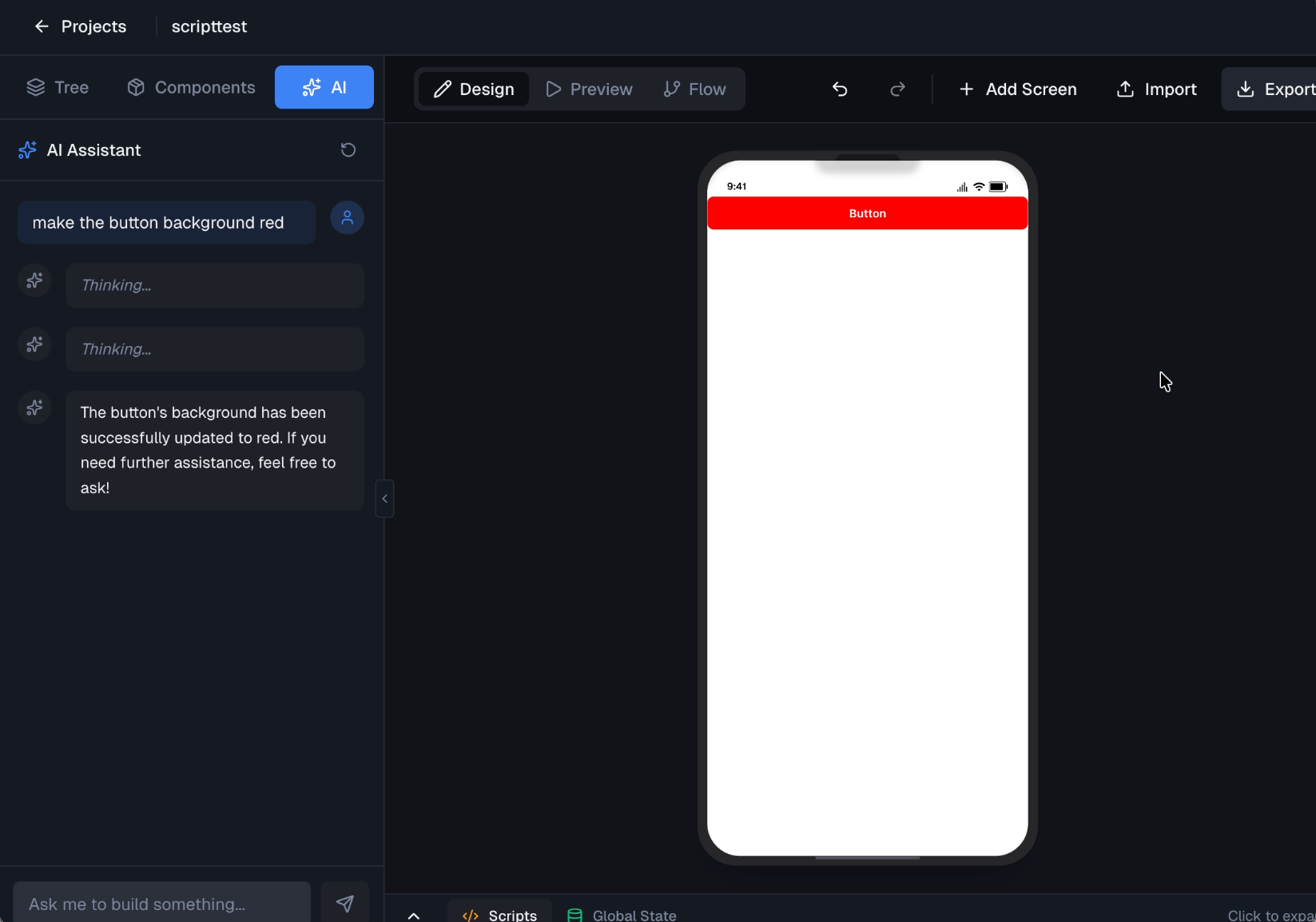
- Direct development by chatting with an AI
Where is this going?
Everything we learn in ABM feeds directly into the future of AppBlocks Designer (ABD).
The plan is to first add AI capabilities to the Hardware Tab, where AI will help pick the right Tibbit modules. Subsequent steps will bring AI to the Features and AppBlocks Tabs, with AI assisting users in designing and even debugging their applications.
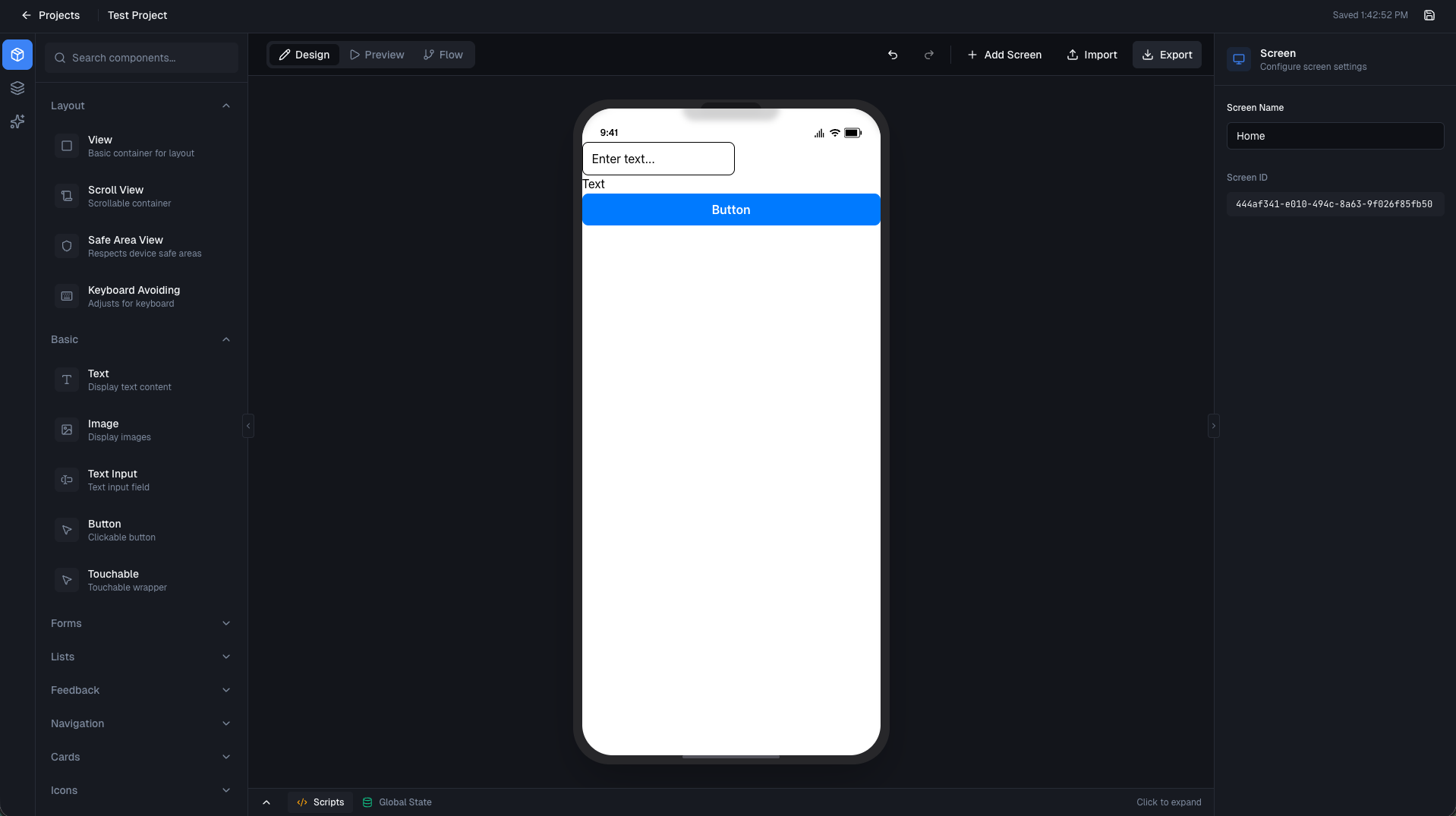
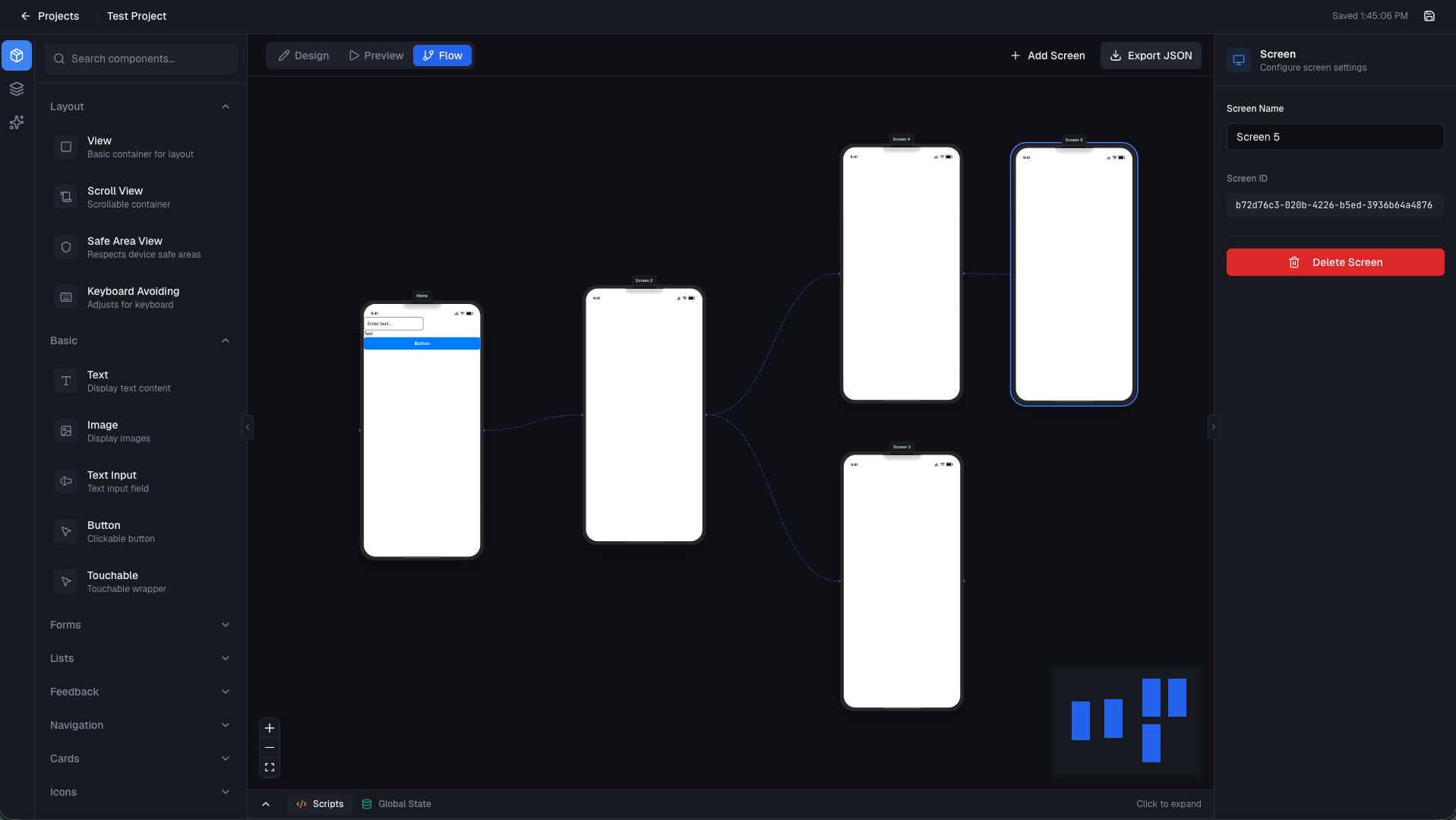
Here are some screenshots from AppBlocks Mobile.
Component editor:
Component event scripting for buttons, inputs, and other controls:

Designing transitions between multiple screens:
AI is making changes based on the user chat:

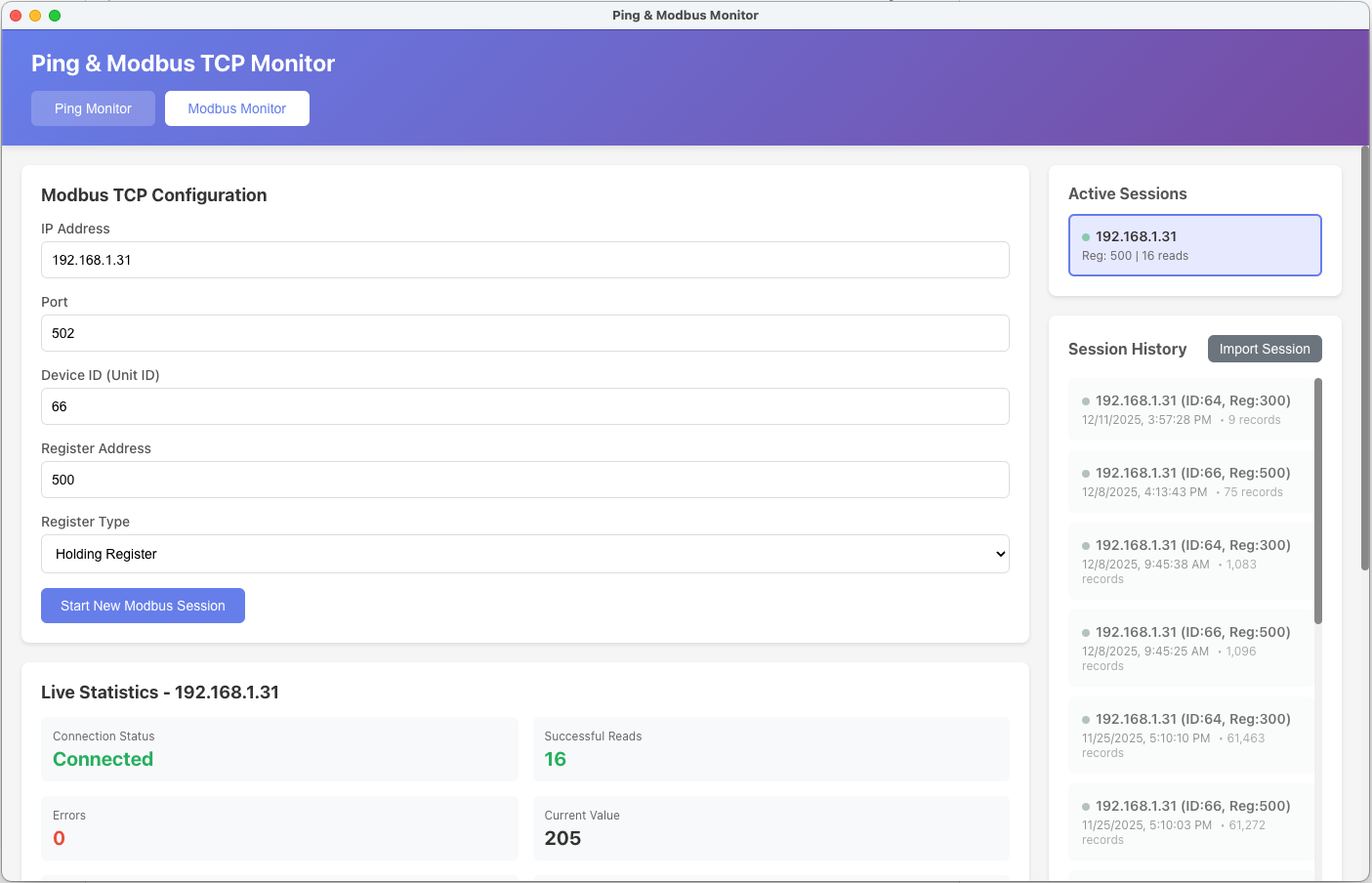
Vibe-coded: Modbus TCP and Ping Monitoring Tool
This is entirely unrelated to AppBlocks Mobile, but it is too useful not to share!
We recently vibe-coded a desktop application that we now use internally to stress-test our Modbus Gateway app.
This AI-generated tool:
- Polls Modbus TCP devices
- Reads and records register values
- Plots data on real-time charts
- Stores and retrieves historical data from CSV files
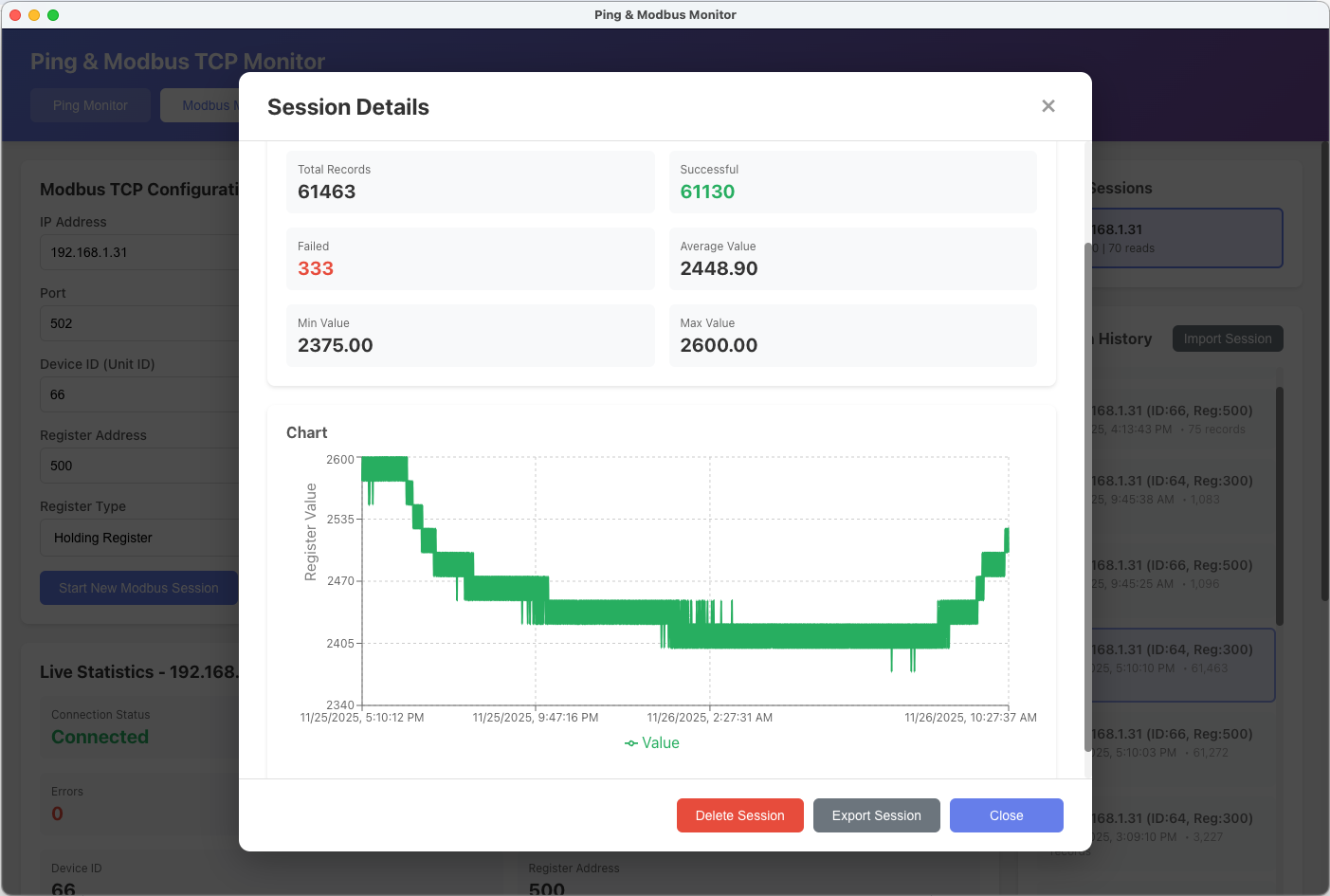
Here are some app screenshots.
Configuring Modbus registers:
Modbus register value chart:

Historical values with sampling and zooming in: